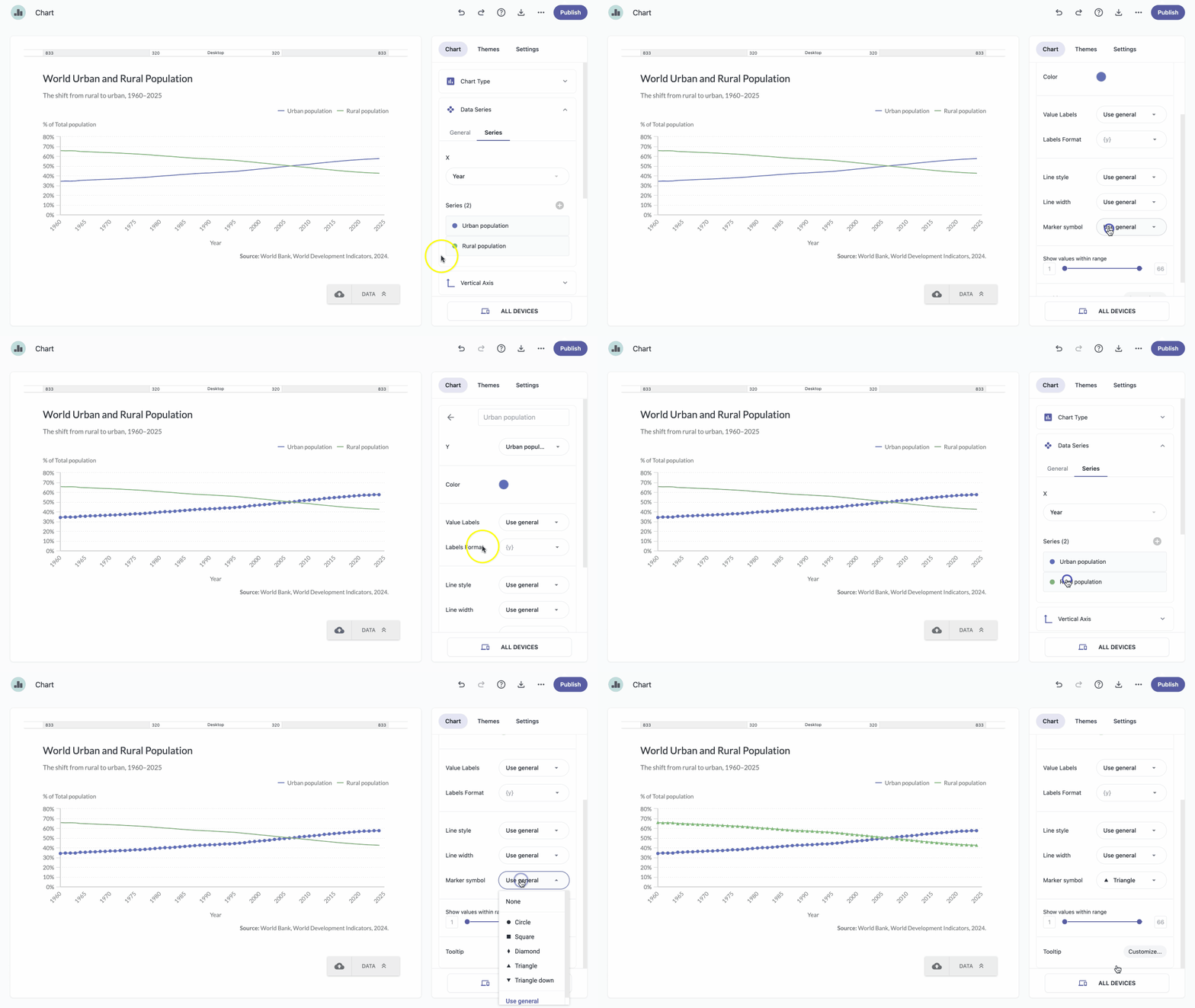
Marker symbols on a chart are used to highlight plotted data points. Marker symbols are available only for certain chart types:
- Line
- Spline
- Step
- All Area charts
- Master/Details charts (except Column)
- Scatter
- Scatter Line
- Dual Axis
| Note: Marker symbol settings in the General section apply to all series, while individual series can also be customized. |
General settings
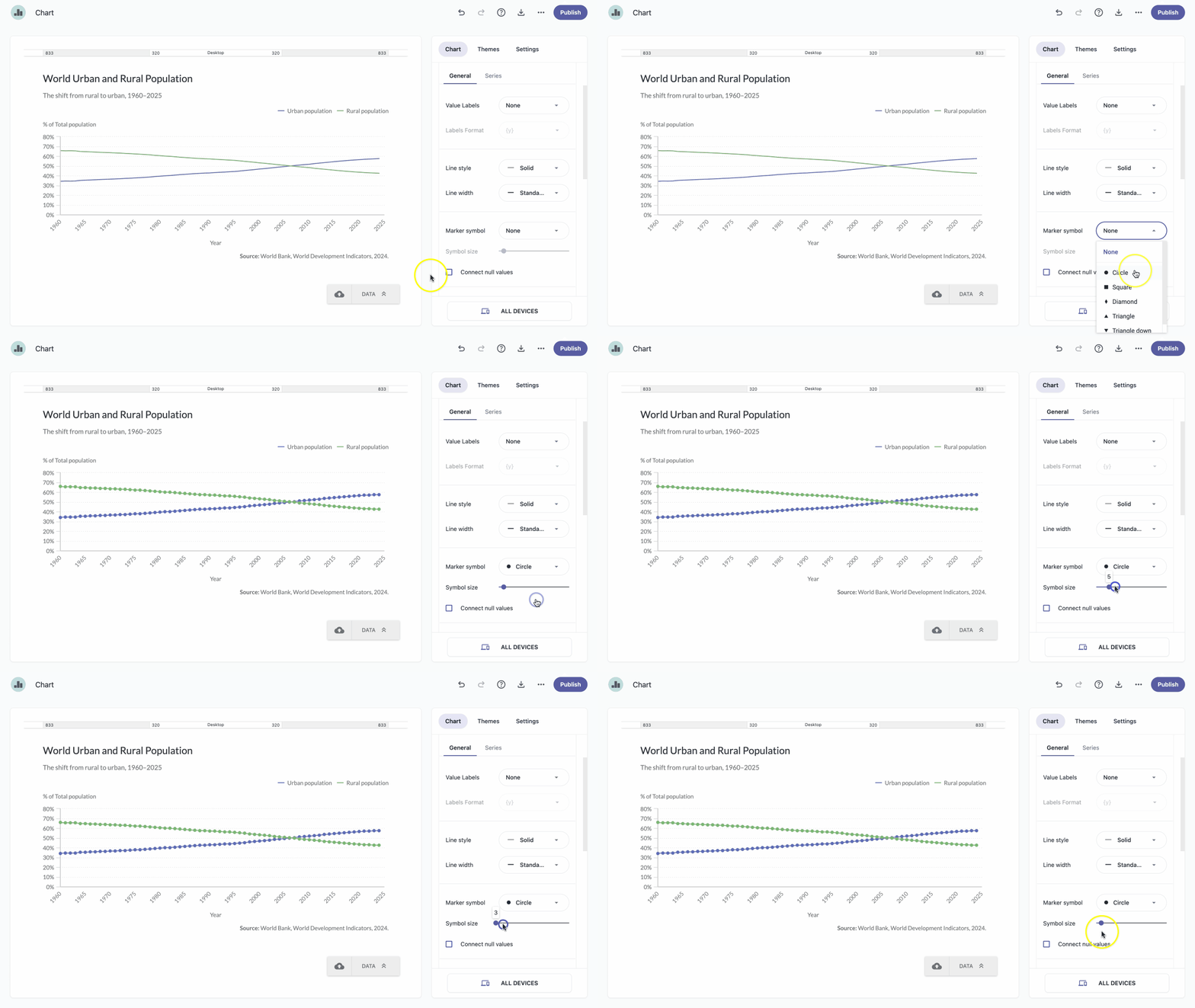
- In the chart panel, click Data Series to open the dropdown menu.
- Select the General tab.
- Next to Marker symbol, click to open the dropdown menu.
- Select the marker symbol that works best for your chart.
Individual series settings
- In the chart panel, click Data Series to open the dropdown menu.
- Open the Series tab and click a series to expand it.
- Next to Marker symbol, click to open the dropdown menu.
- Select the marker symbol that works best for your chart.