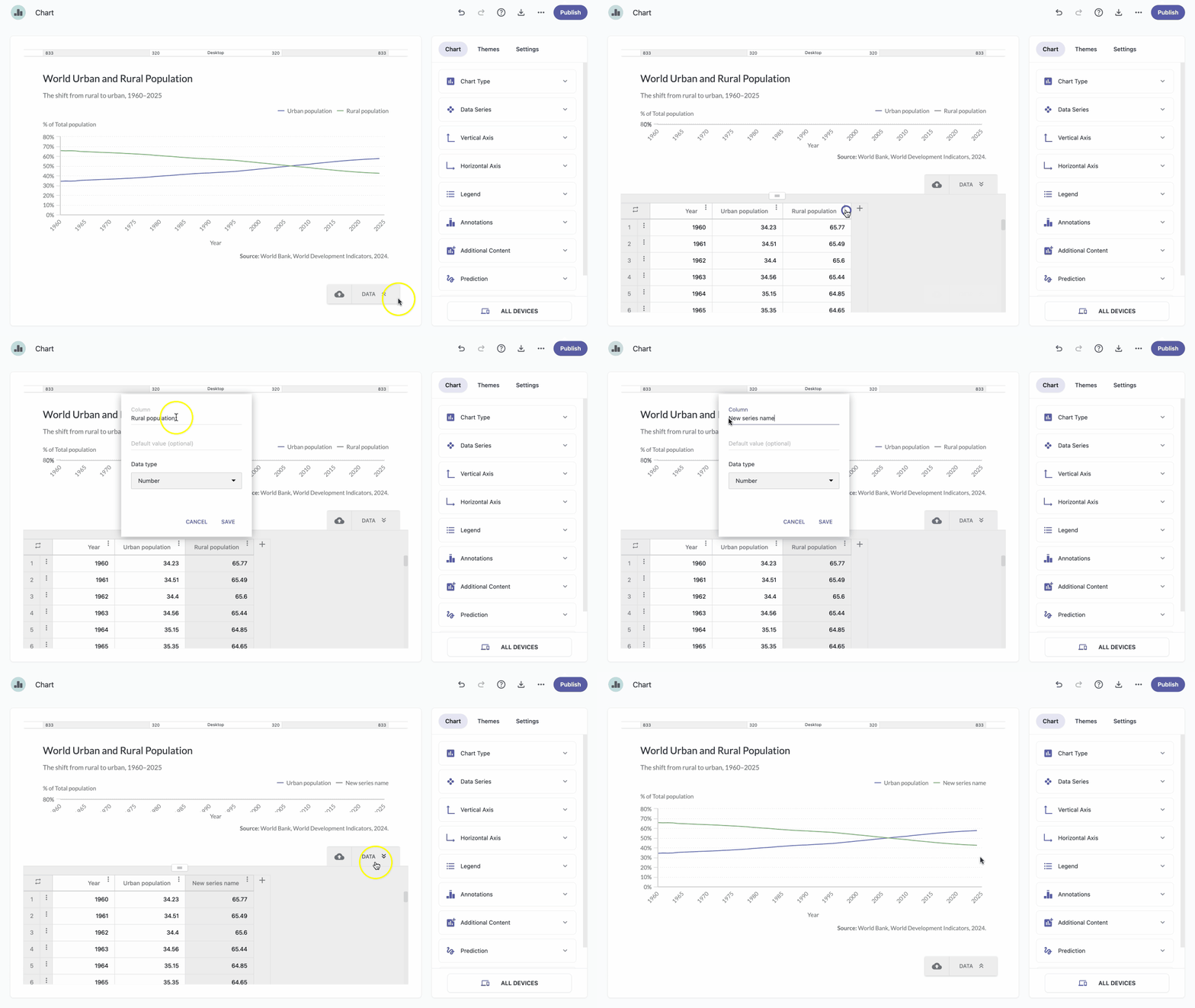
You can edit the name of each series to make them easier to distinguish.
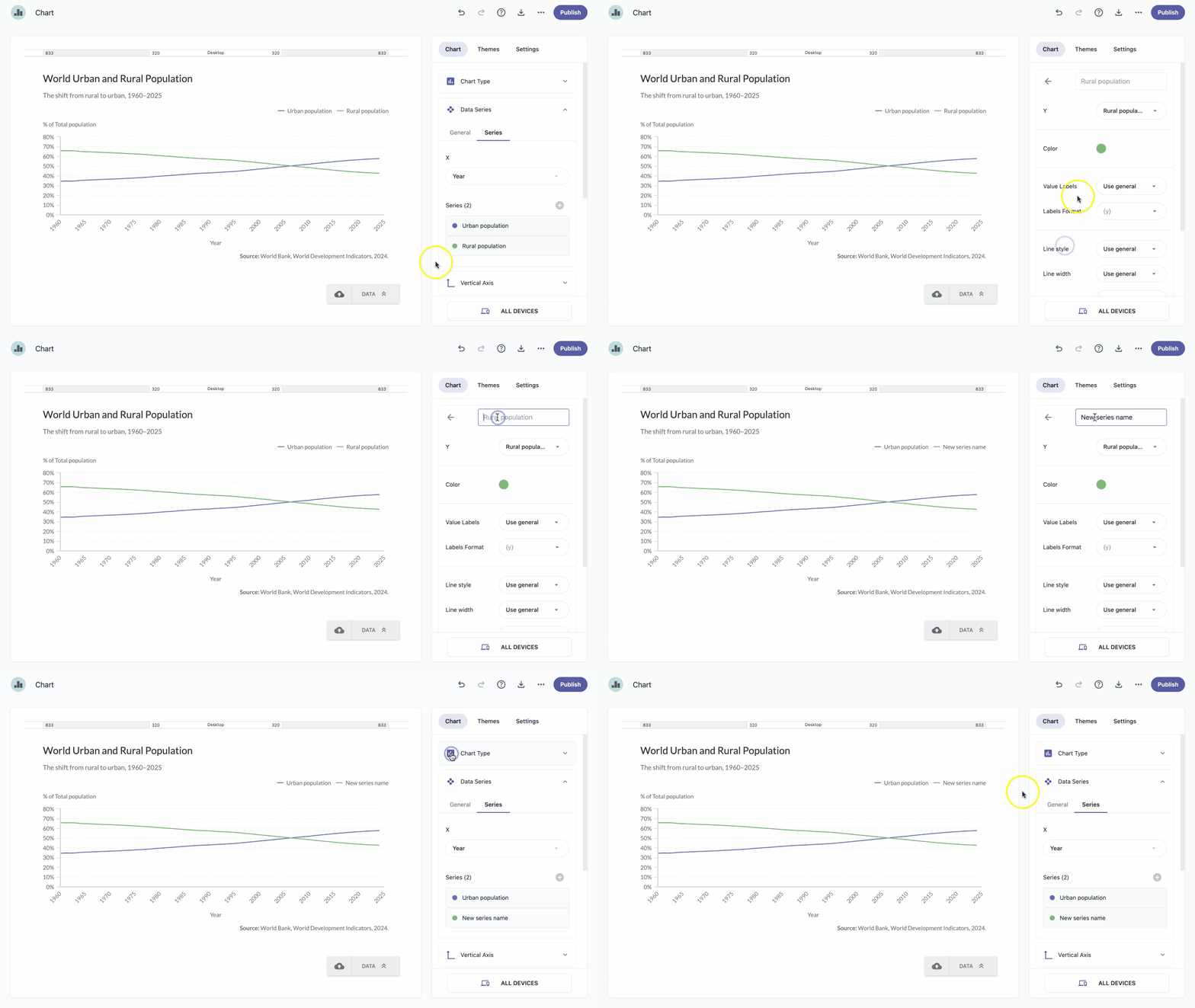
Edit series name in the Series section
- In the chart panel, click Data Series to open the dropdown menu.
In the Series tab, select the series you want to rename.
Note: A quicker way to select a series is to click it directly on the chart. Click the series name to edit it.
Note: Changes are applied and saved automatically.
Edit series in the data grid
- In the chart panel, click DATA in the bottom-right corner of the chart preview.
- Next to the column name of the series you want to rename, click the more icon .
- Click Edit column.
- In the Column field, enter the new name.
Click Save.
Note: Changes are applied and saved automatically.