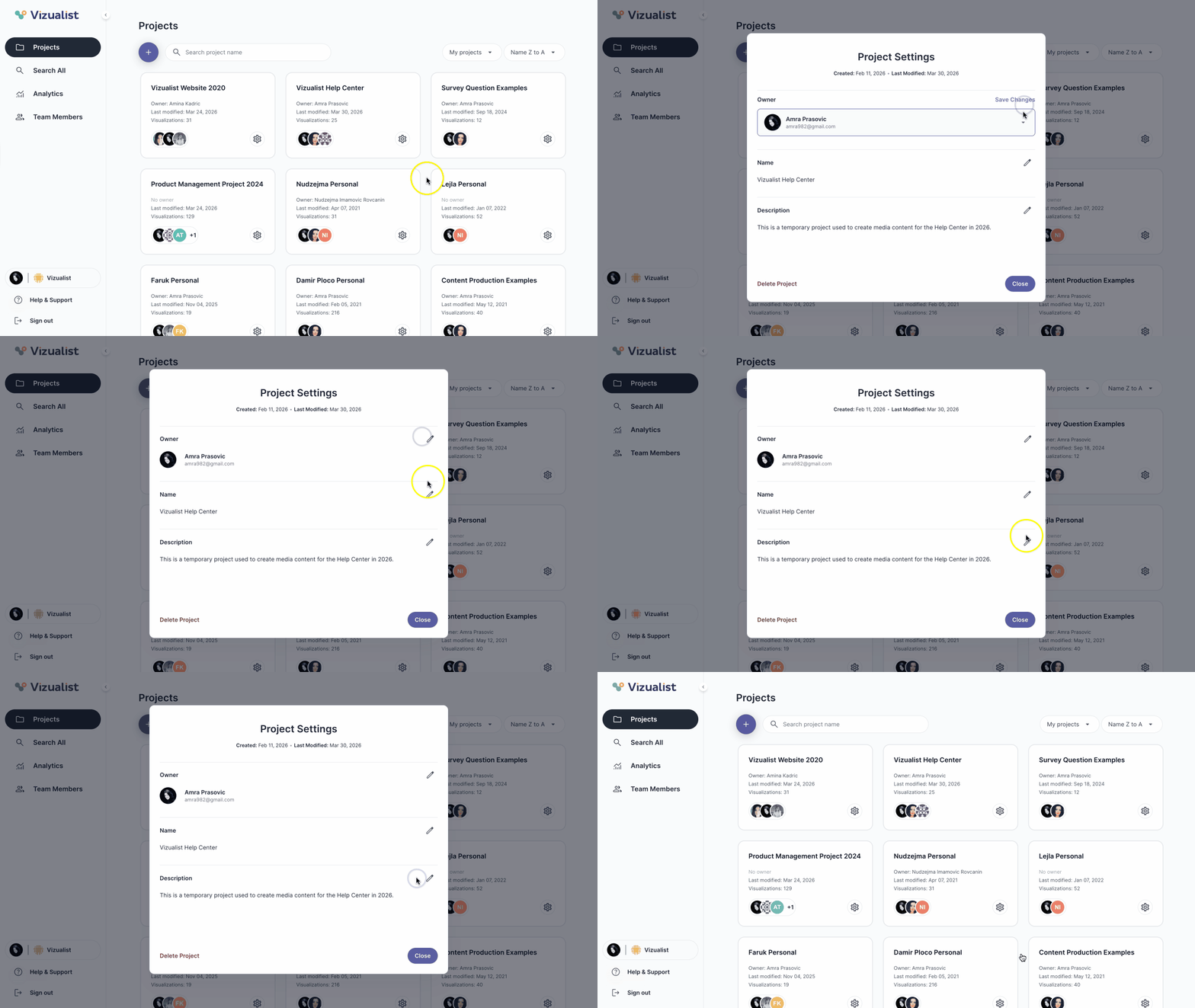
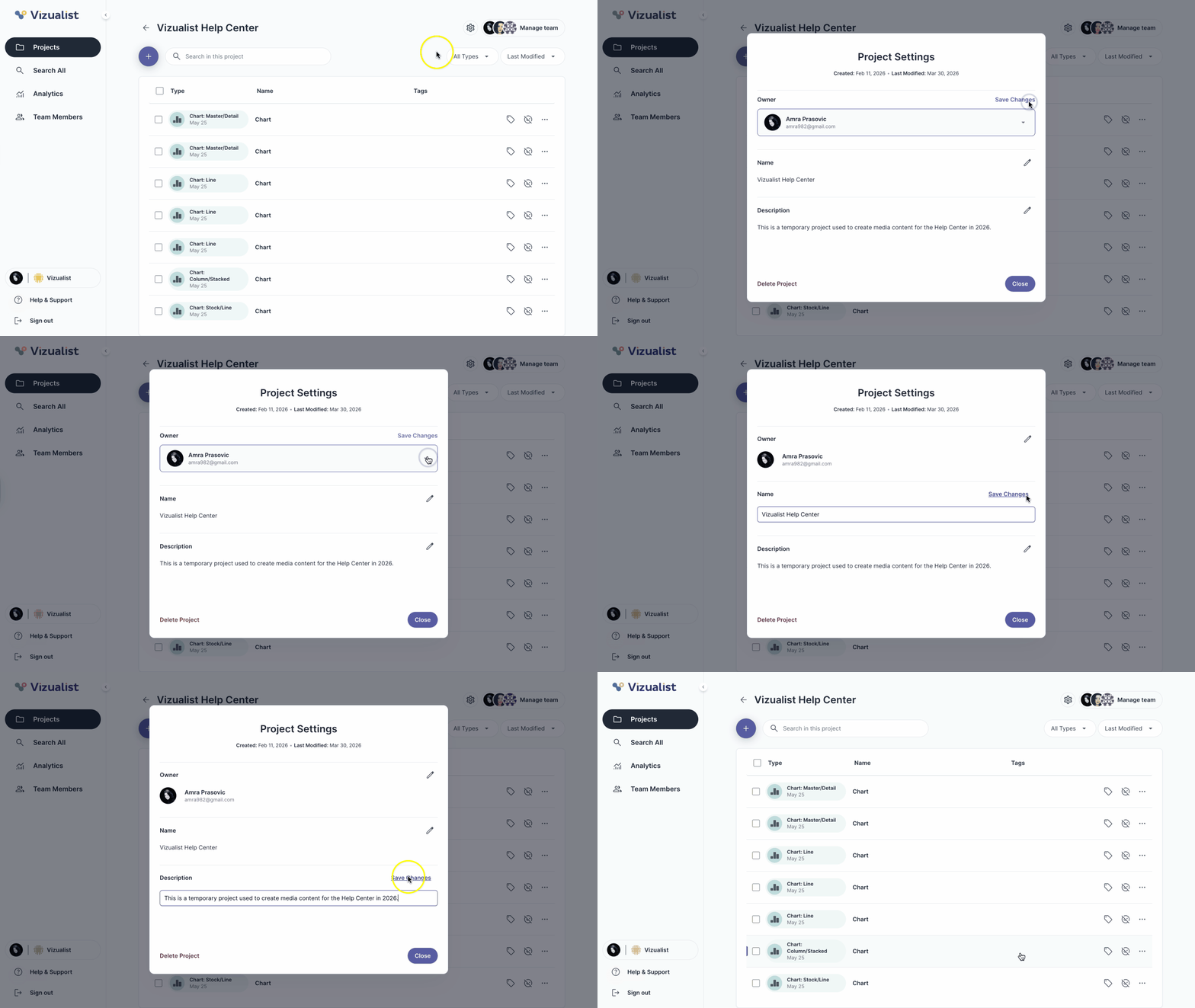
Project settings can be opened in two ways:
- Click the project settings in the bottom-right corner of the project card
- Open the project and click project settings in the upper-right corner
Edit project settings
In project settings you can change the following:
- Owner
- Name
- Description
To make changes:
- Click the edit icon next to the field you want to change.
- Make your changes.
- Click Save Changes.