View project team members
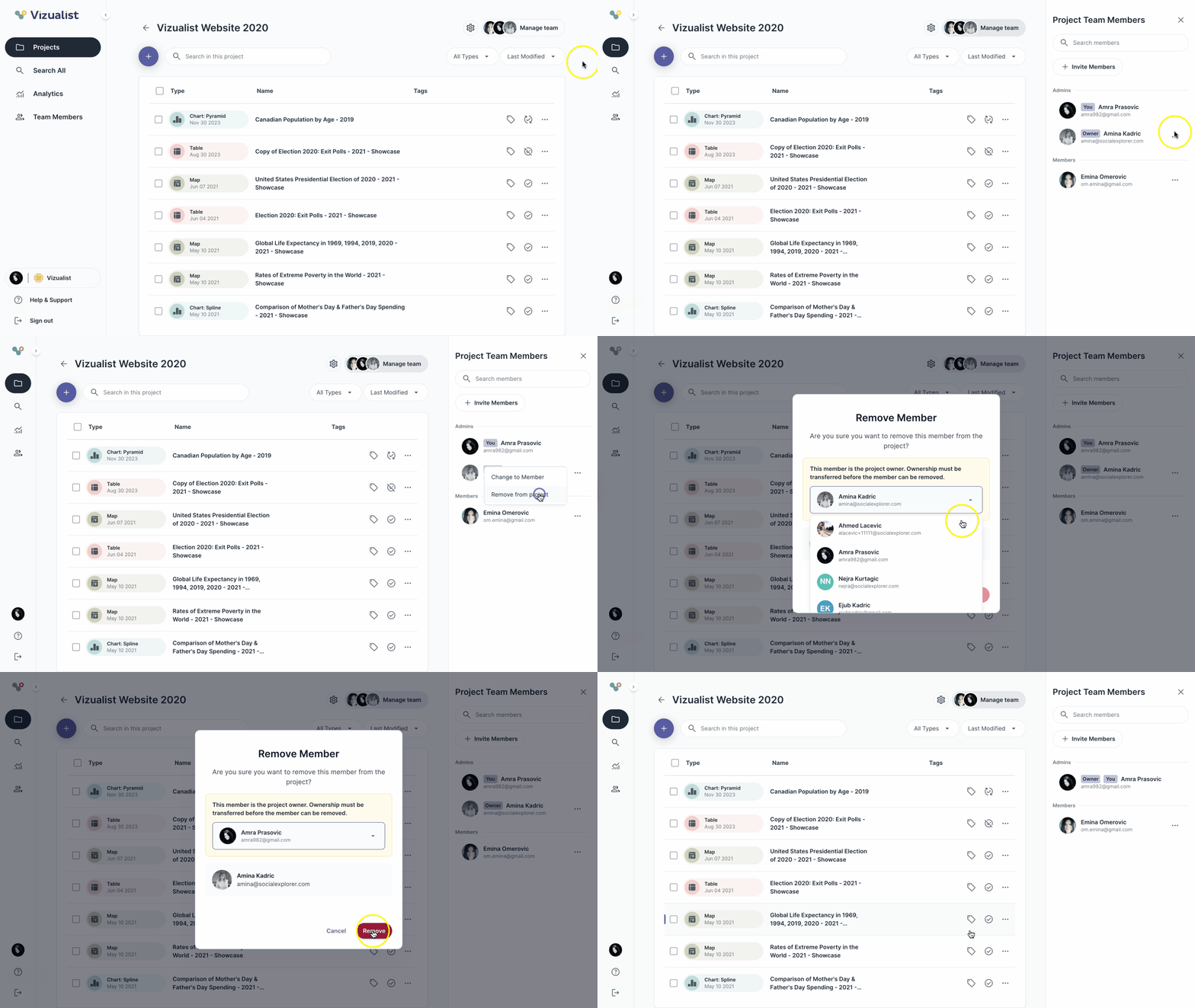
The project team members panel can be opened in two ways:
- Click the member preview in the bottom-left corner of the project card
- Open the project and click Manage team in the upper-right corner
Search for a team member
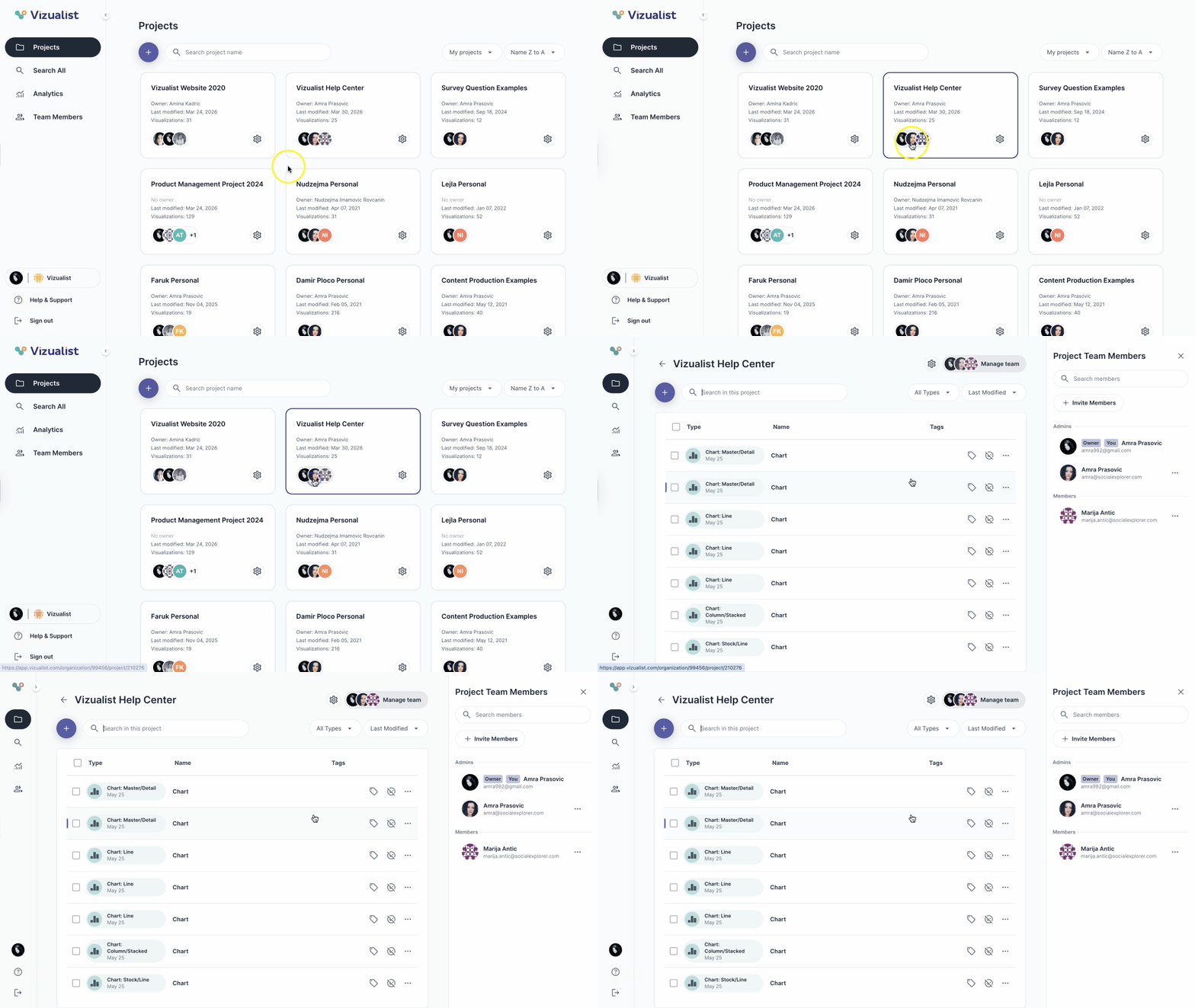
To search for a team member within a project:
- Navigate to the project where you want to find the member.
- Open the project team members panel.
- Enter the member's name in the search bar.
Invite a team member
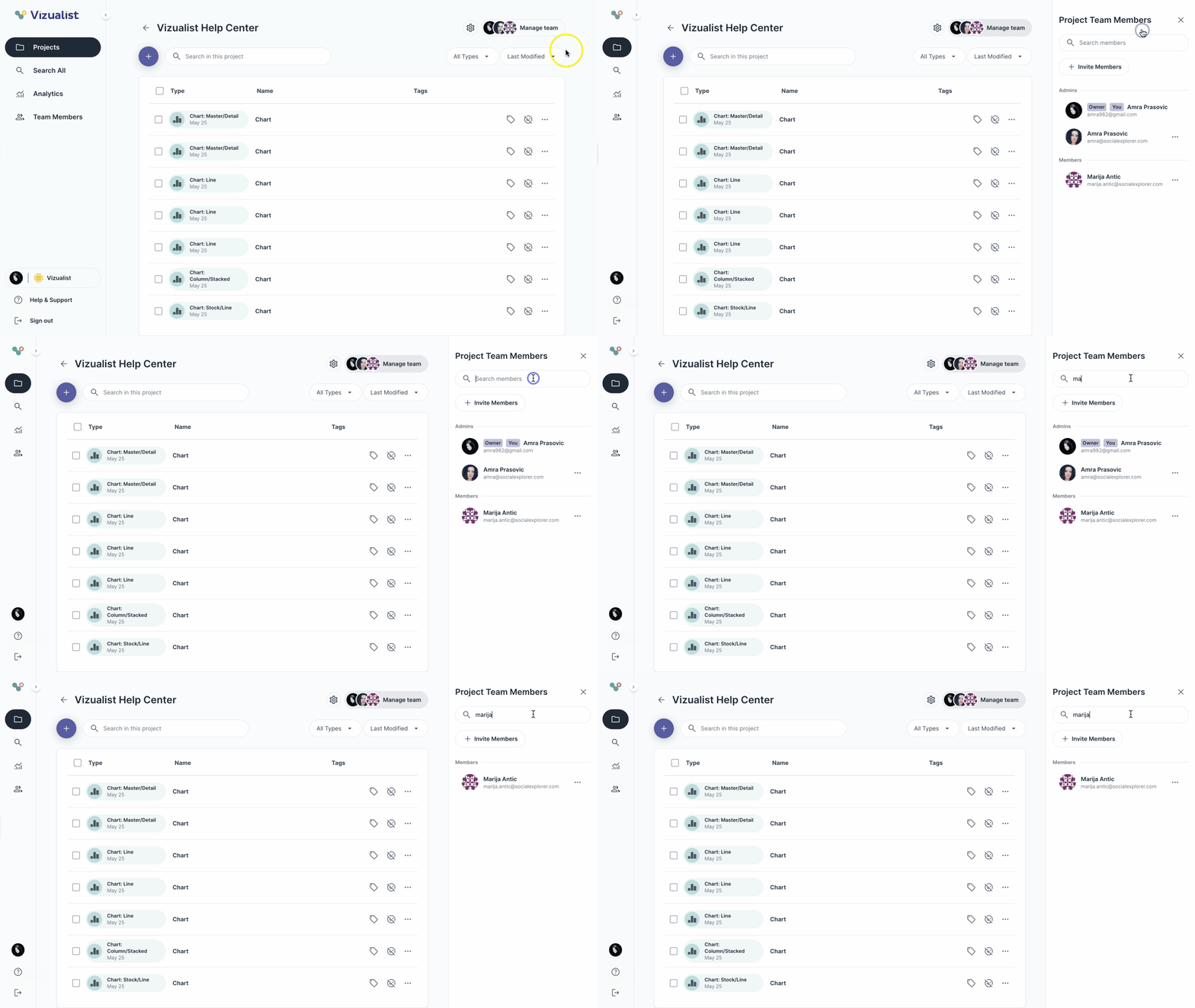
To invite a member to the project:
- Navigate to the project where you want to invite a member.
- Open the project team members panel.
- Click the + Invite Members button.
- Select a member from the list, or type a name or email to search.
- Click Add.
- From the dropdown, select Member or Admin.
- Click Invite.
| Note: You can invite members only if you are an admin of the organization, or an admin of that project even if you are a member of the organization. |
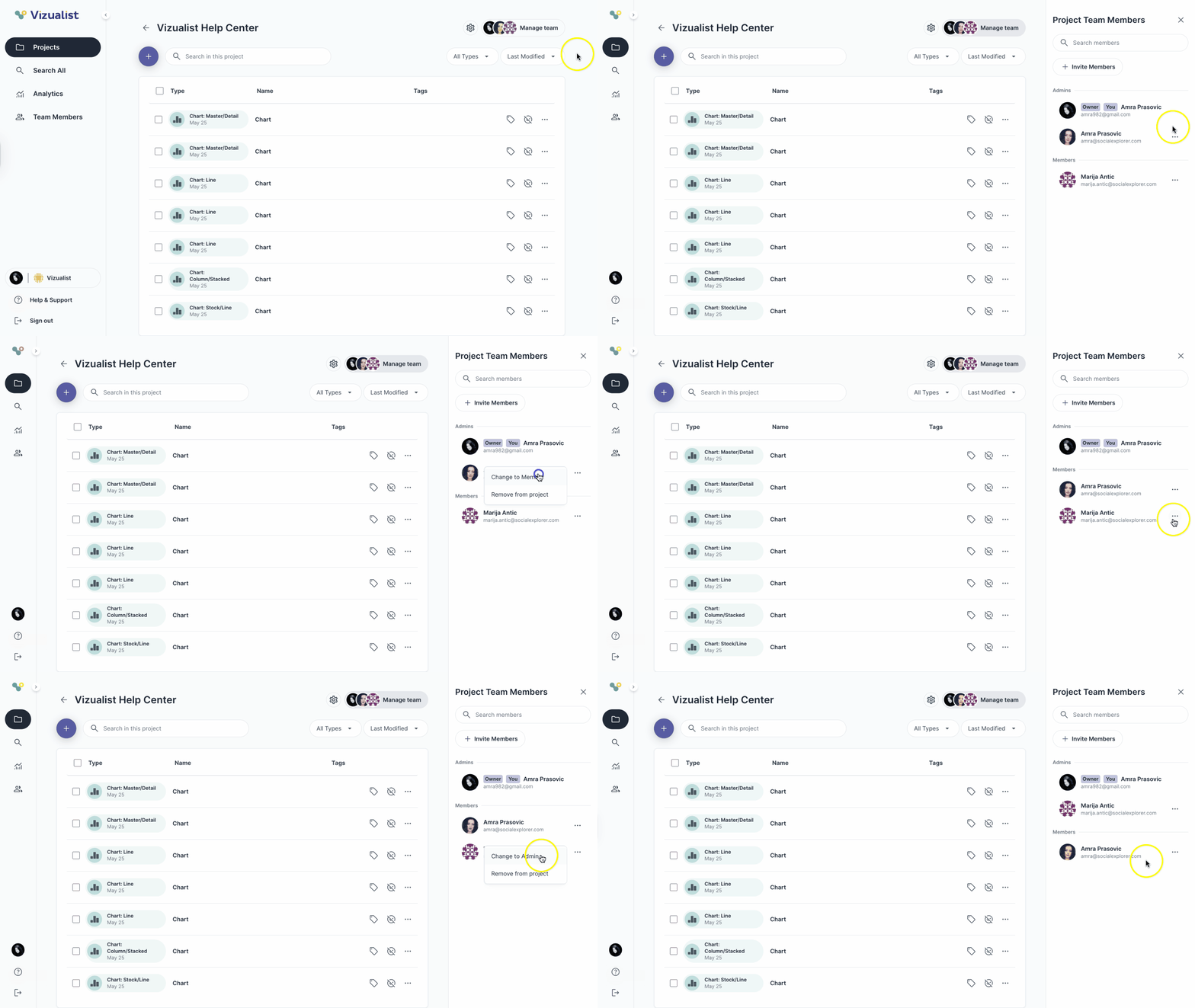
Change a member's role
To change the role of a member within a project:
- Navigate to the project where you want to change the member's role.
- Open the project team members panel.
- Next to the member's name, click the menu.
- Select Change to Admin or Change to Member, depending on the member's current role.
| Note: You can change a member's role only if you are an admin of the organization, or an admin of that project even if you are a member of the organization. |
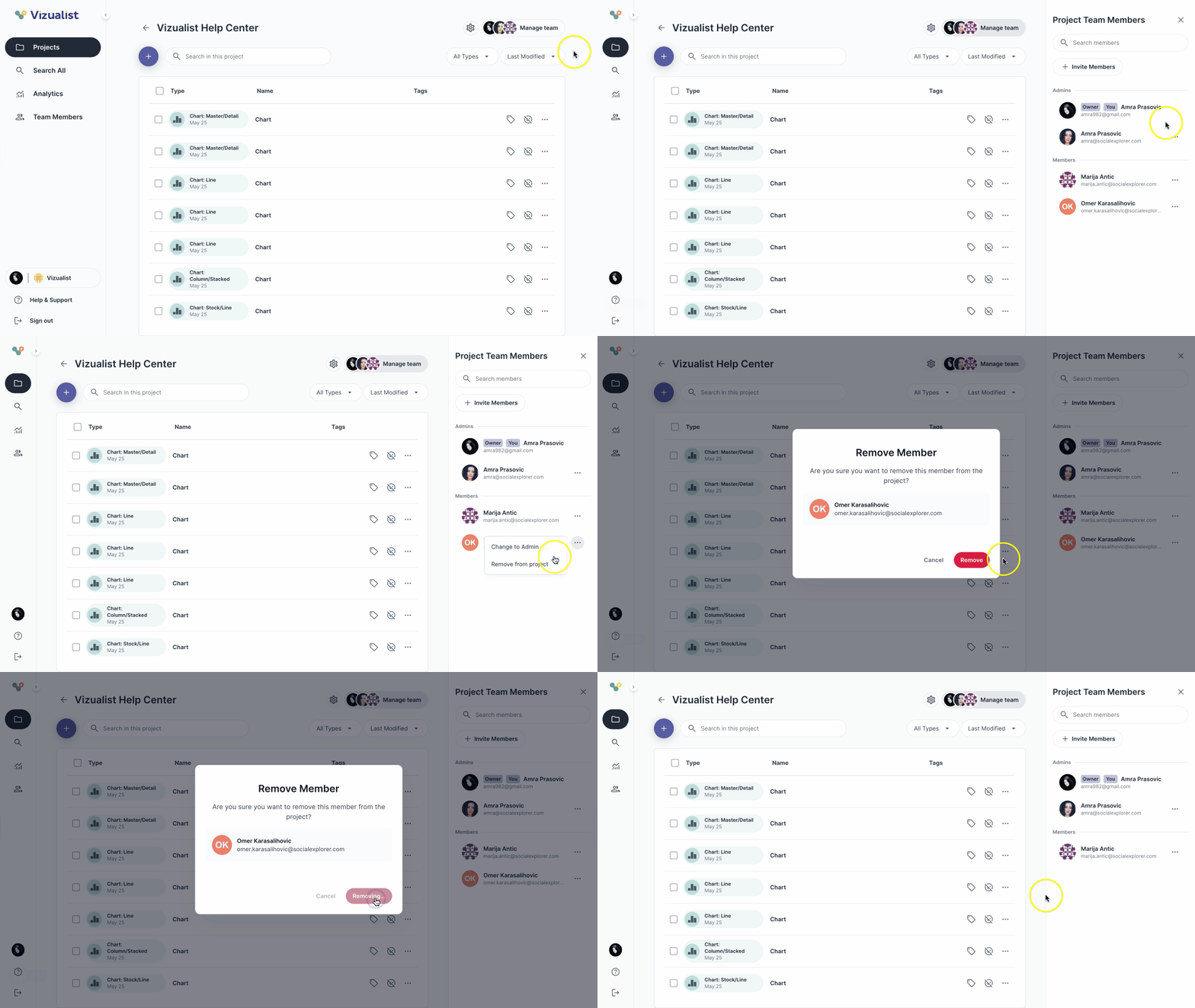
Remove a member from a project
To remove a member from a project:
- Navigate to the project where you want to remove the member.
- Open the project team members panel.
- Next to the member's name, click the menu.
- Select Remove from project.
- Click Remove.
| Note: You can remove a member only if you are an admin of the organization, or an admin of that project even if you are a member of the organization. |
Remove the project owner from a project
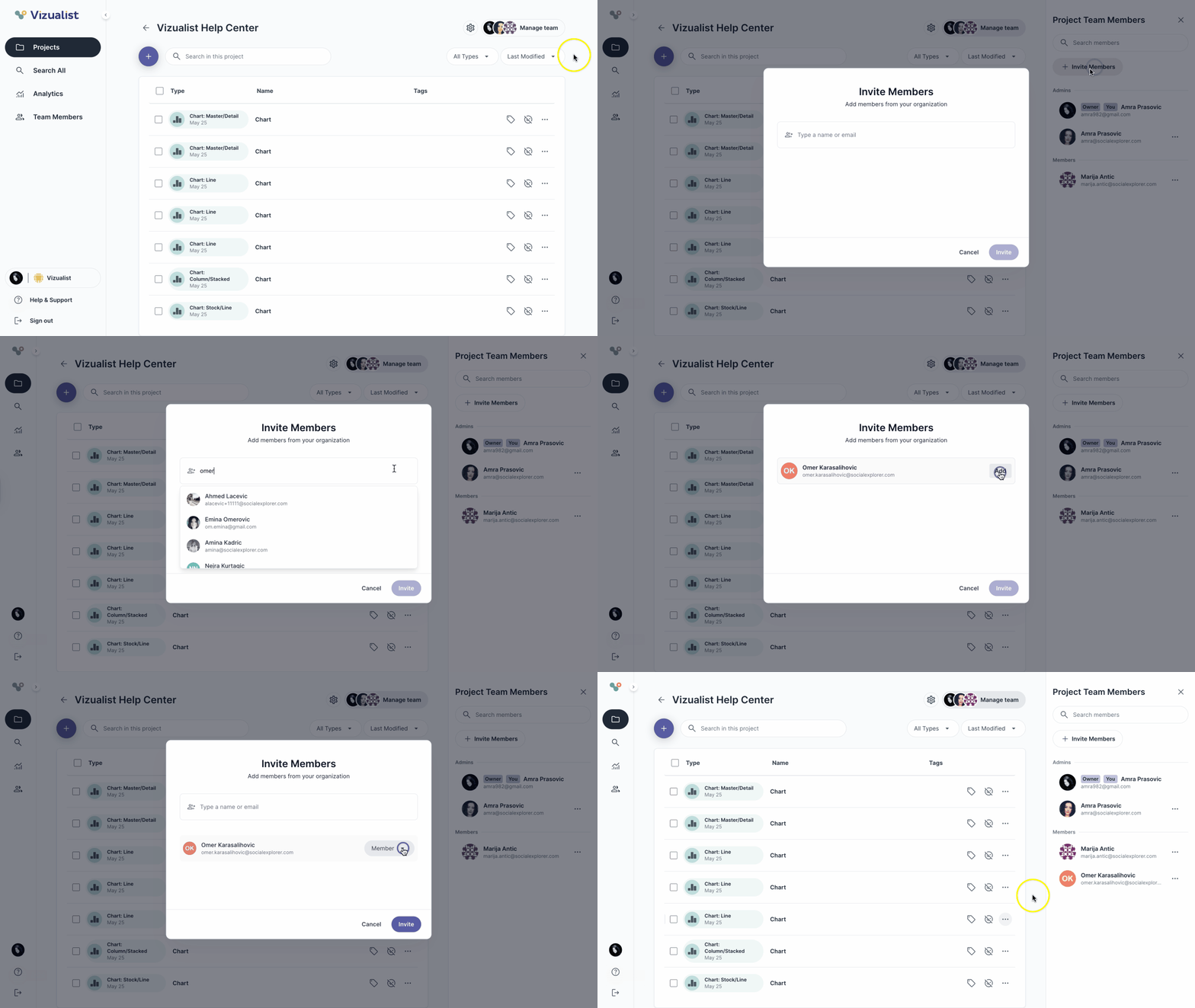
To remove the project owner from a project:
- Navigate to the project where you want to remove the owner.
- Open the project team members panel.
- Next to the owner's name, click the menu.
- Select Remove from project.
Select a new owner.
Note: Ownership must be transferred before the owner can be removed. - Click Remove.
| Note: You can remove the project owner only if you are an admin of the organization, or an admin of that project even if you are a member of the organization. |