Row grouping
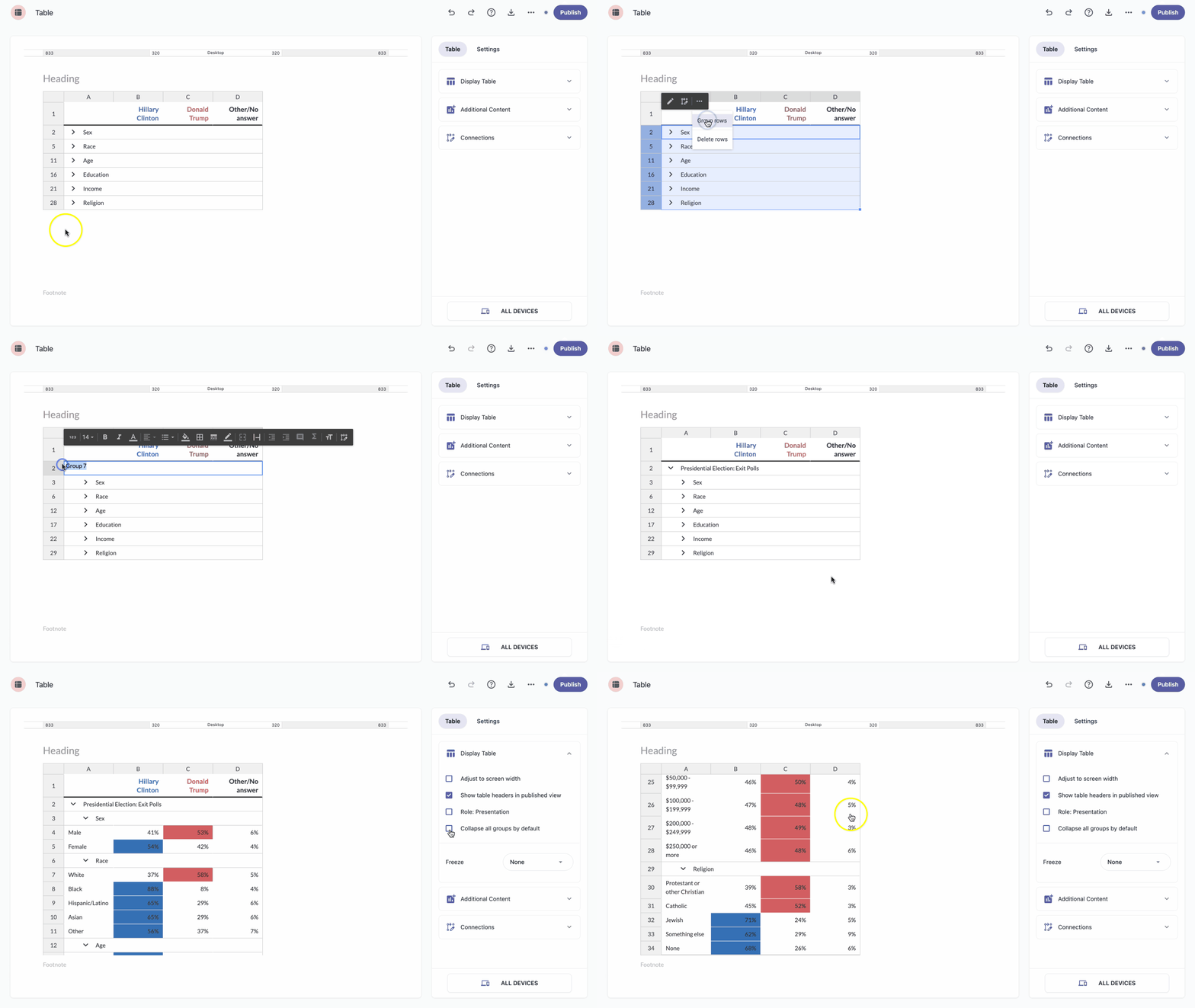
Sometimes you have a large table and want to collapse your data to show only the most important rows. You can do this by grouping rows together.
- In the row header, select the rows you want to group.
- Click the more icon and select Group rows.
Nested grouping
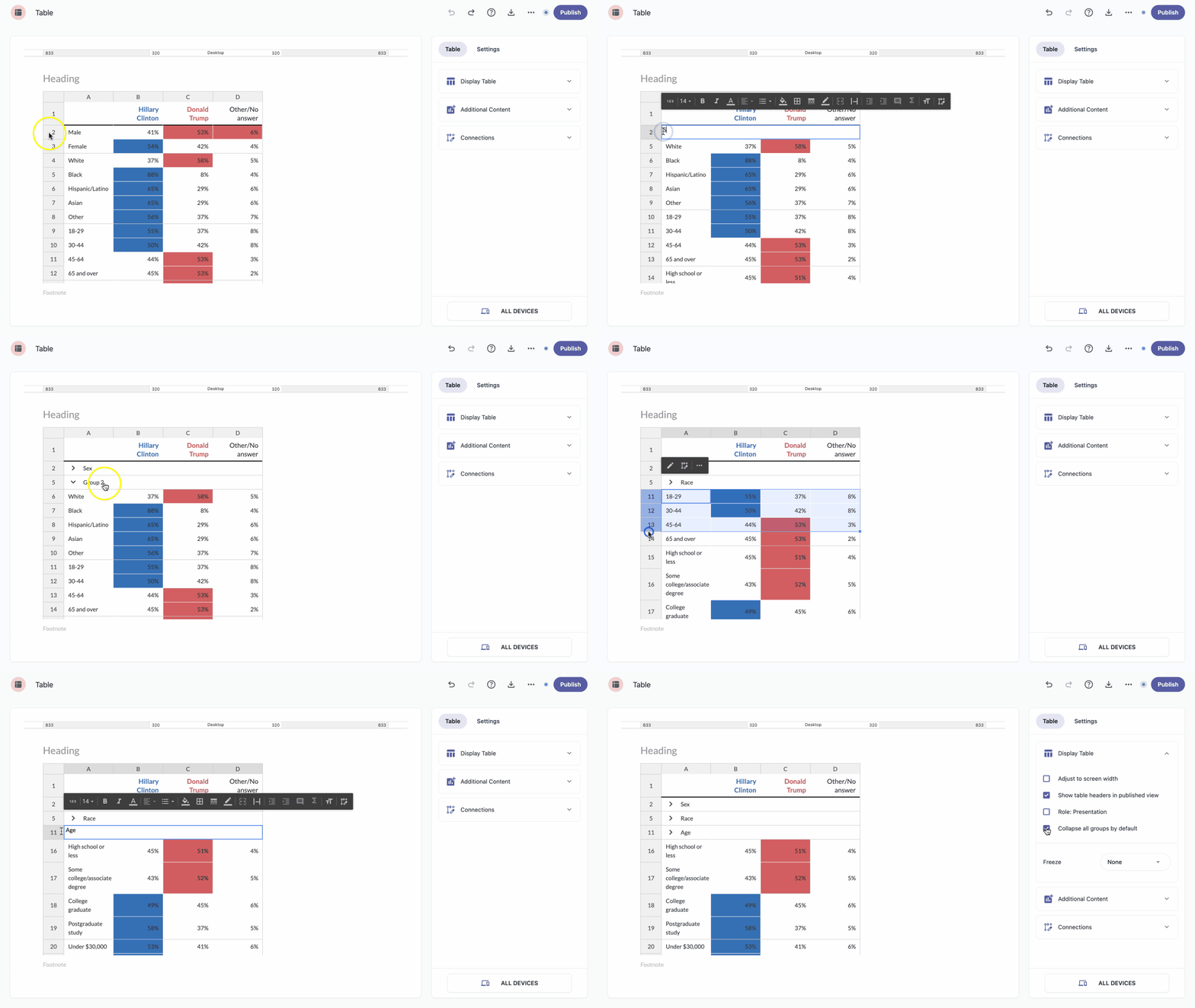
Table lets you create nested, collapsible, multi-level groups — in other words, you can collapse multiple groups into a single parent group. Each group can act as a parent or a child, which makes it easier to organize and visualize larger datasets.
- In the row header, select the groups you want to nest.
- Click the more icon and select Group rows.