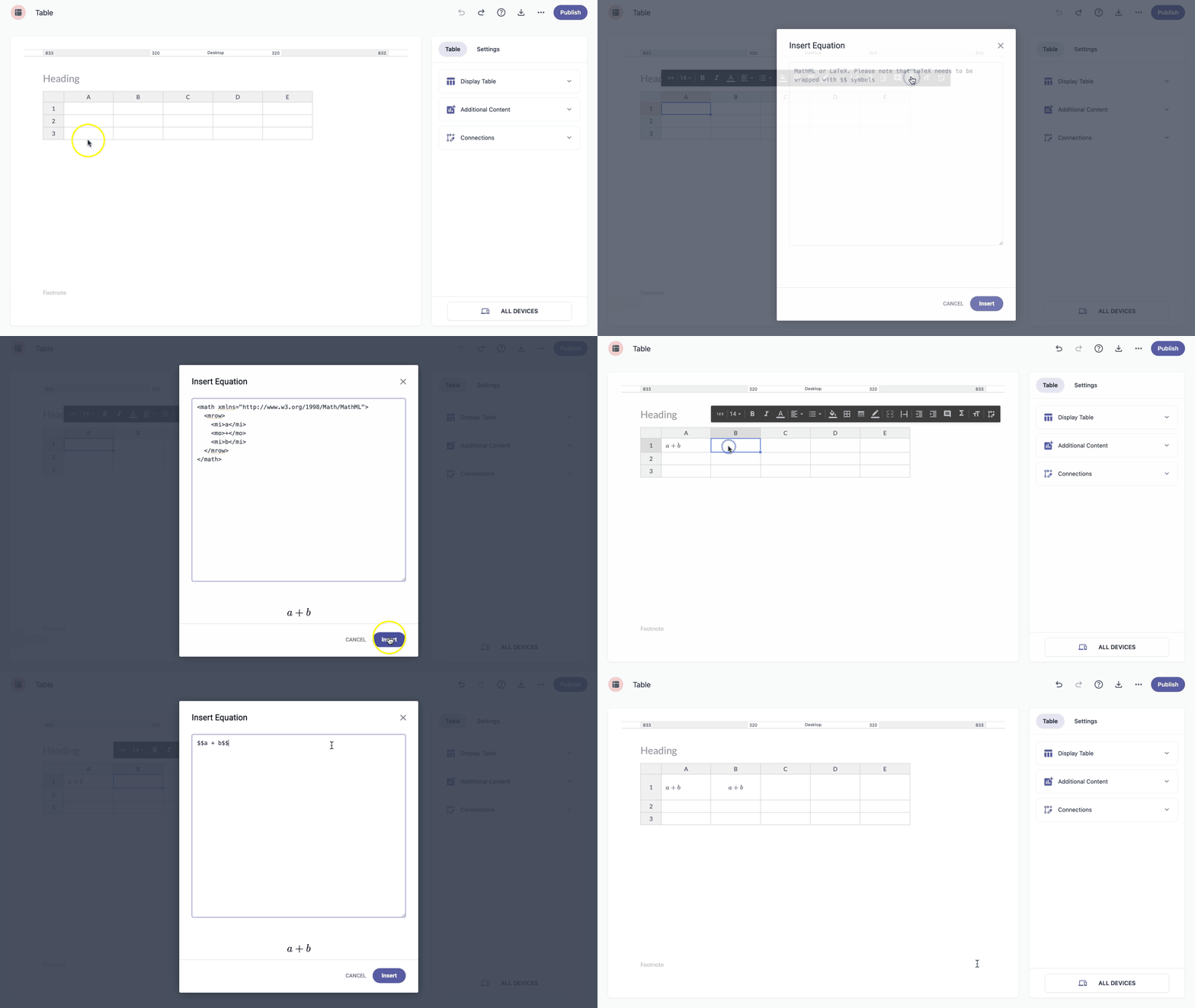
Equations represent relationships between numbers, variables, and operations. You can add math equations to a table using either MathML or LaTeX.
MathML (Mathematical Markup Language) — Is an XML-based markup language used to display and structure mathematical expressions so that tables and browsers can render them.
LaTeX — Is a simple text-based format for writing mathematical equations using special commands, which are then rendered as properly formatted math.
To add a math equation to your table, follow these steps:
- Select the cell where you want to add a math equation.
- Click the Math equation option to open the Insert Equation window.
Add your mathematical notation using MathML or LaTeX.
Example — adding a+b as MathML:
<math xmlns="http://www.w3.org/1998/Math/MathML">
  <mrow>
    <mi>a</mi>
    <mo>+</mo>
    <mi>b</mi>
  </mrow>
</math>
Example — adding a+b as LaTeX:
$$a + b$$
- Click the Insert button to see your math equation inside the table.