When you open Team Members in the organization side panel, you will see a list of all organization members, including when they last logged in and their role.
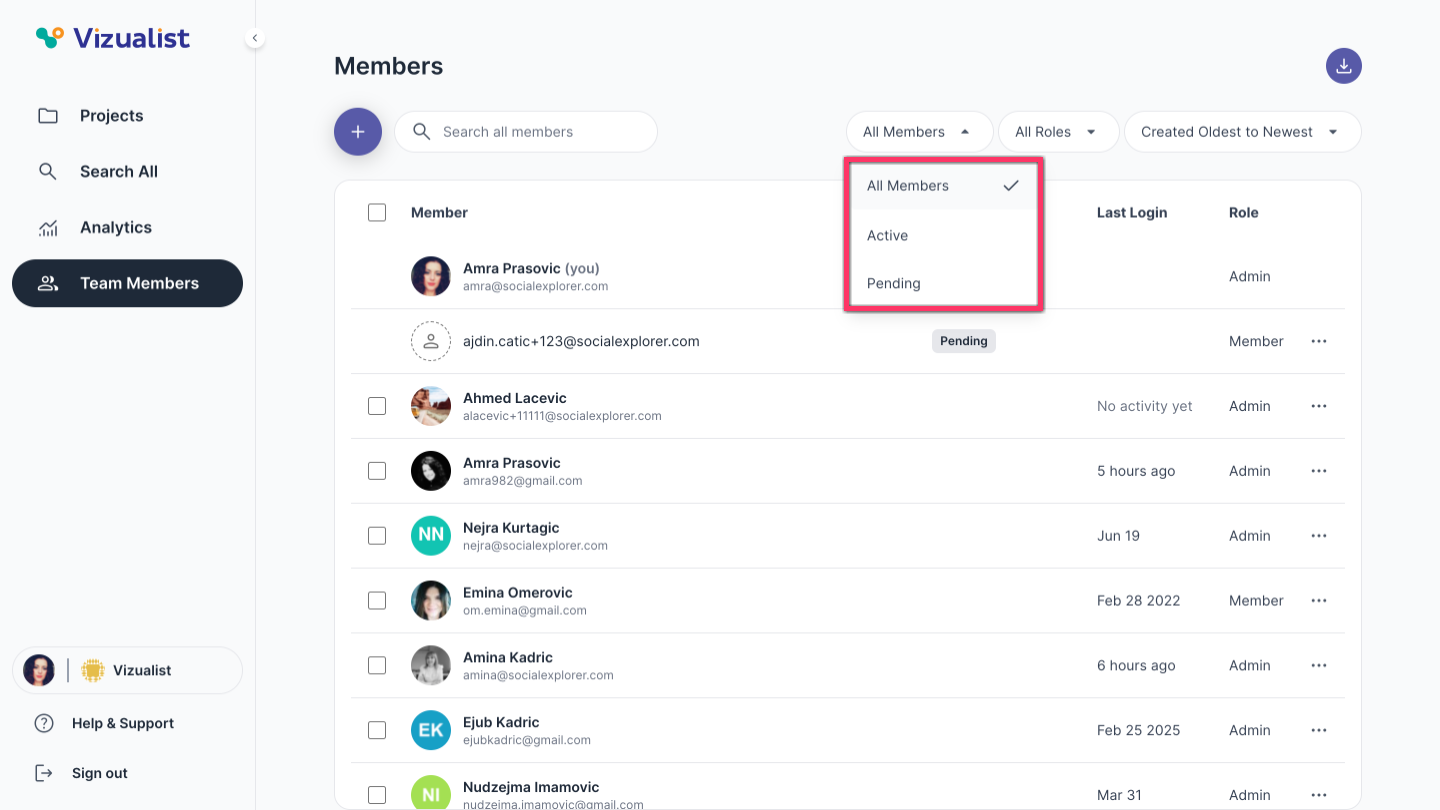
Filter members by activity
To filter members by activity, use the filter options above the member list:
- All members — displays all members in the organization
- Active — displays members who have confirmed their invitation
- Pending — displays members who have been invited but are still awaiting confirmation
| Note: Pending invitations can be seen only by organization admins. They can be resent or revoked by clicking the menu next to the invited member and choosing Resend invitation to send the invitation again, or Revoke invitation to cancel it. |
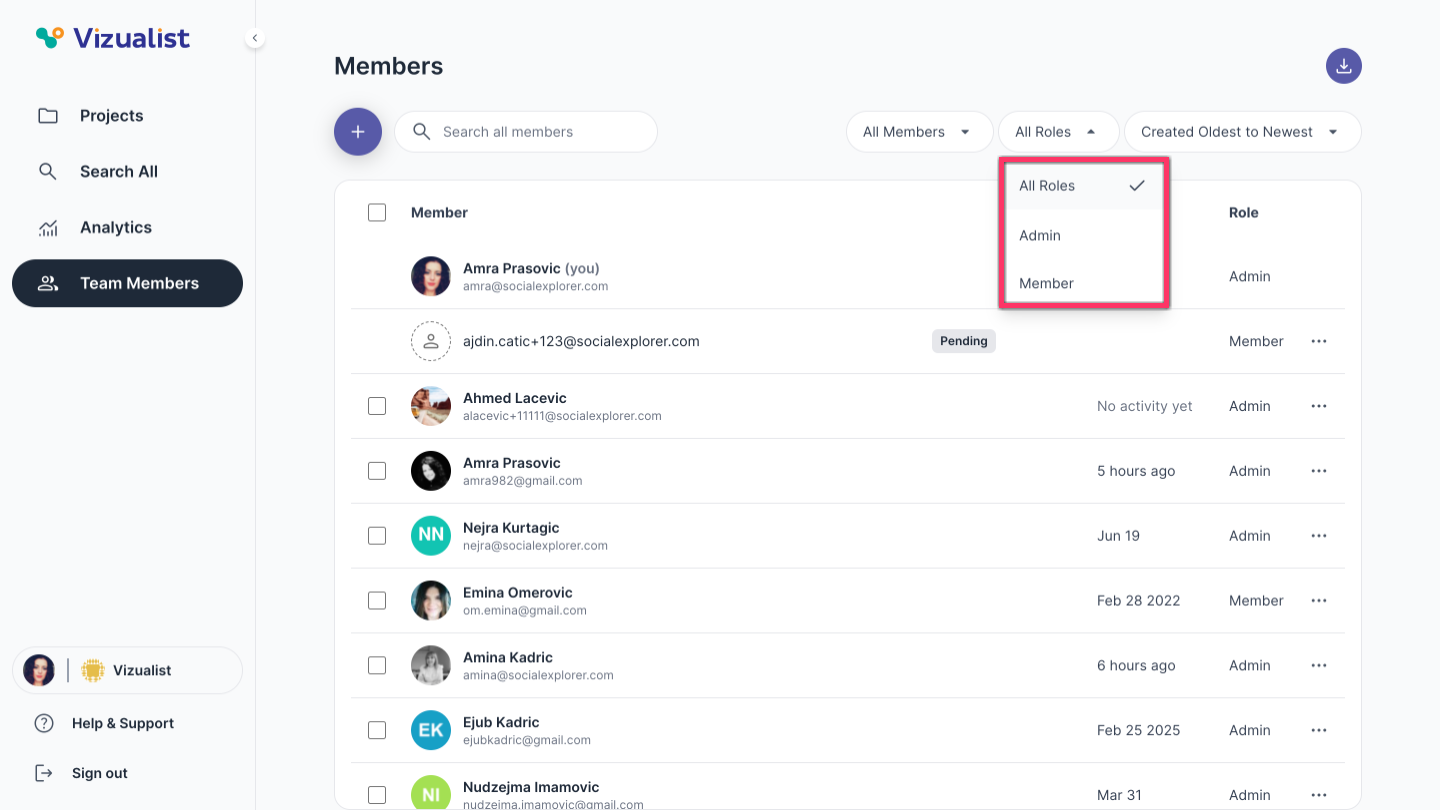
Filter members by role
To filter members by role, use the filter options above the member list:
- Admin — displays organization admins
- Member — displays organization members
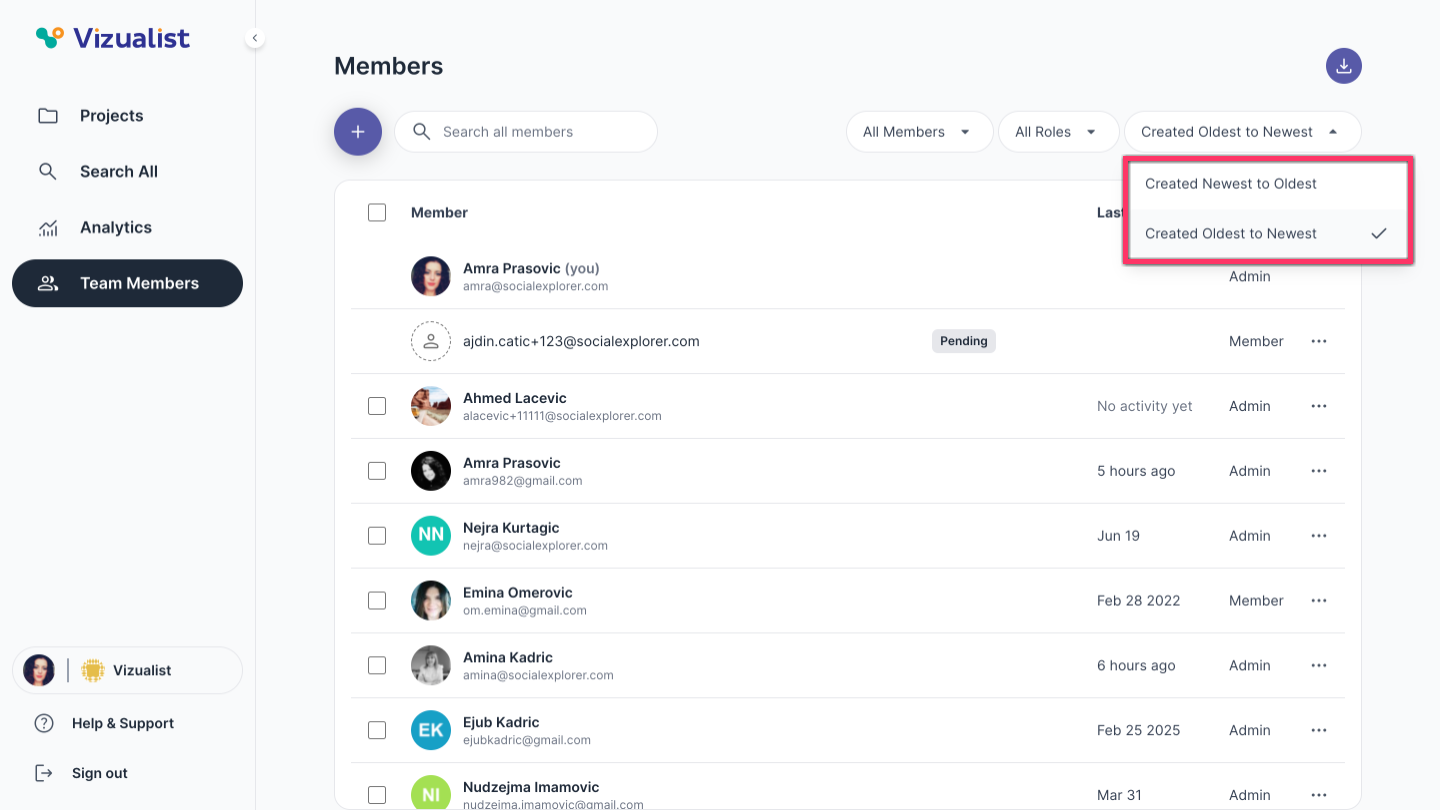
Filter members by creation date
To filter members by creation date, use the filter options above the member list:
- Created Newest to Oldest — displays members by creation date, with the most recently added first
- Created Oldest to Newest — displays members by creation date, with the earliest added first