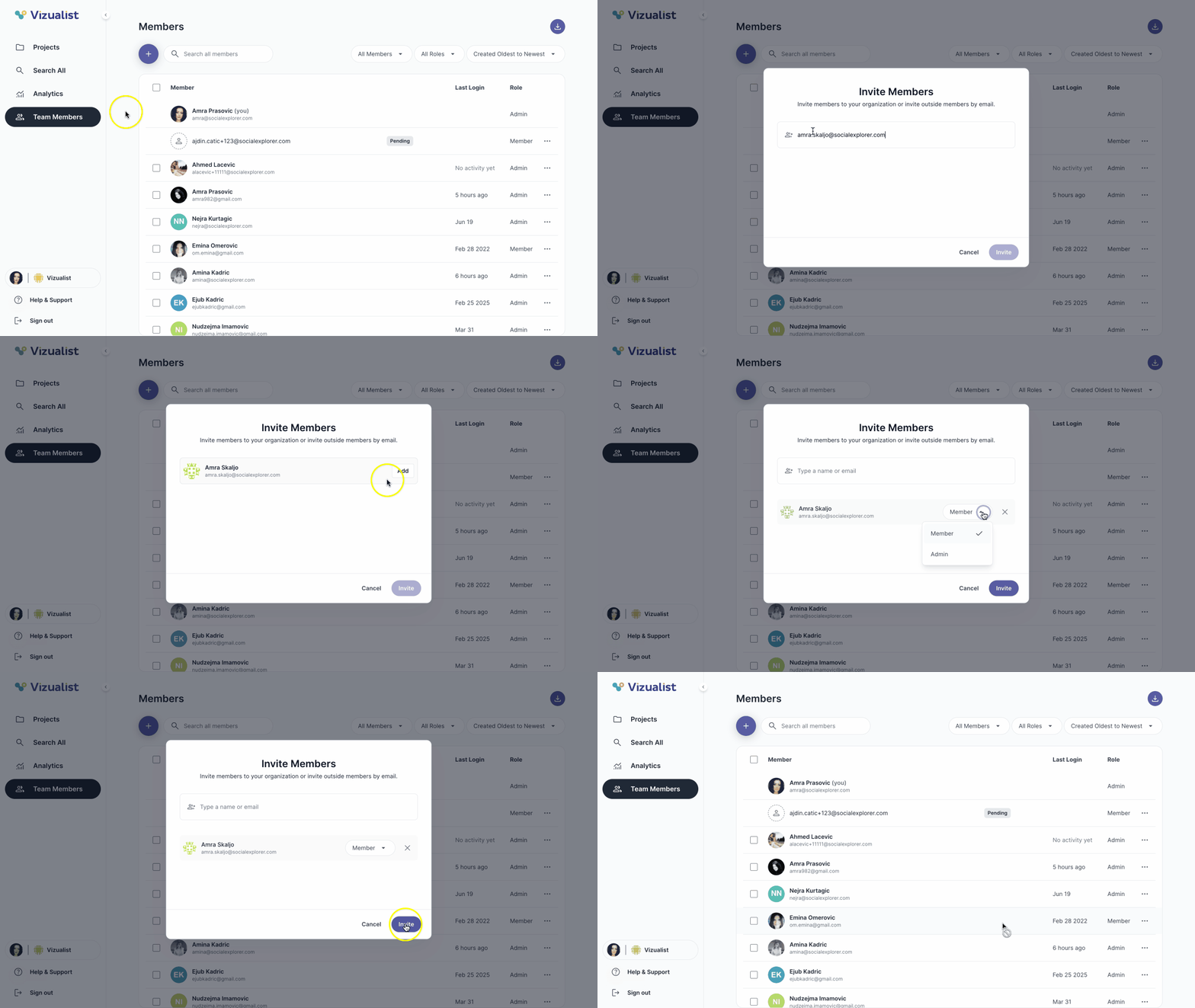
To invite a member to the organization:
- Navigate to the organization where you want to invite a member.
- Open Team Members in the organization side panel.
- Click the button.
- Select a member from the list, or type an email to search.
- Click Add.
- From the dropdown, select Member or Admin.
- Click Invite.
| Note: Only organization admins can invite members to the organization. |