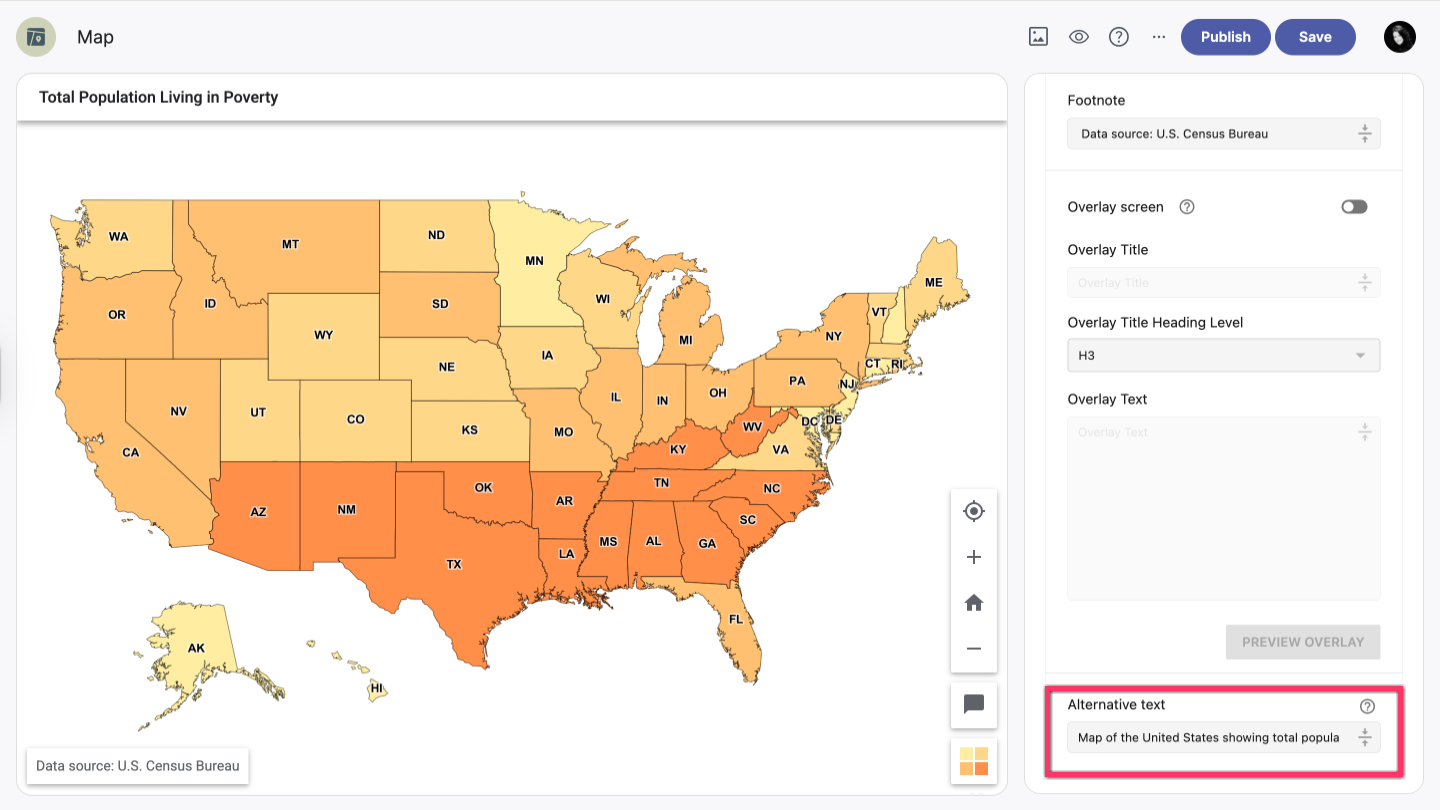
In the right-hand sidebar of your map, click the References dropdown.
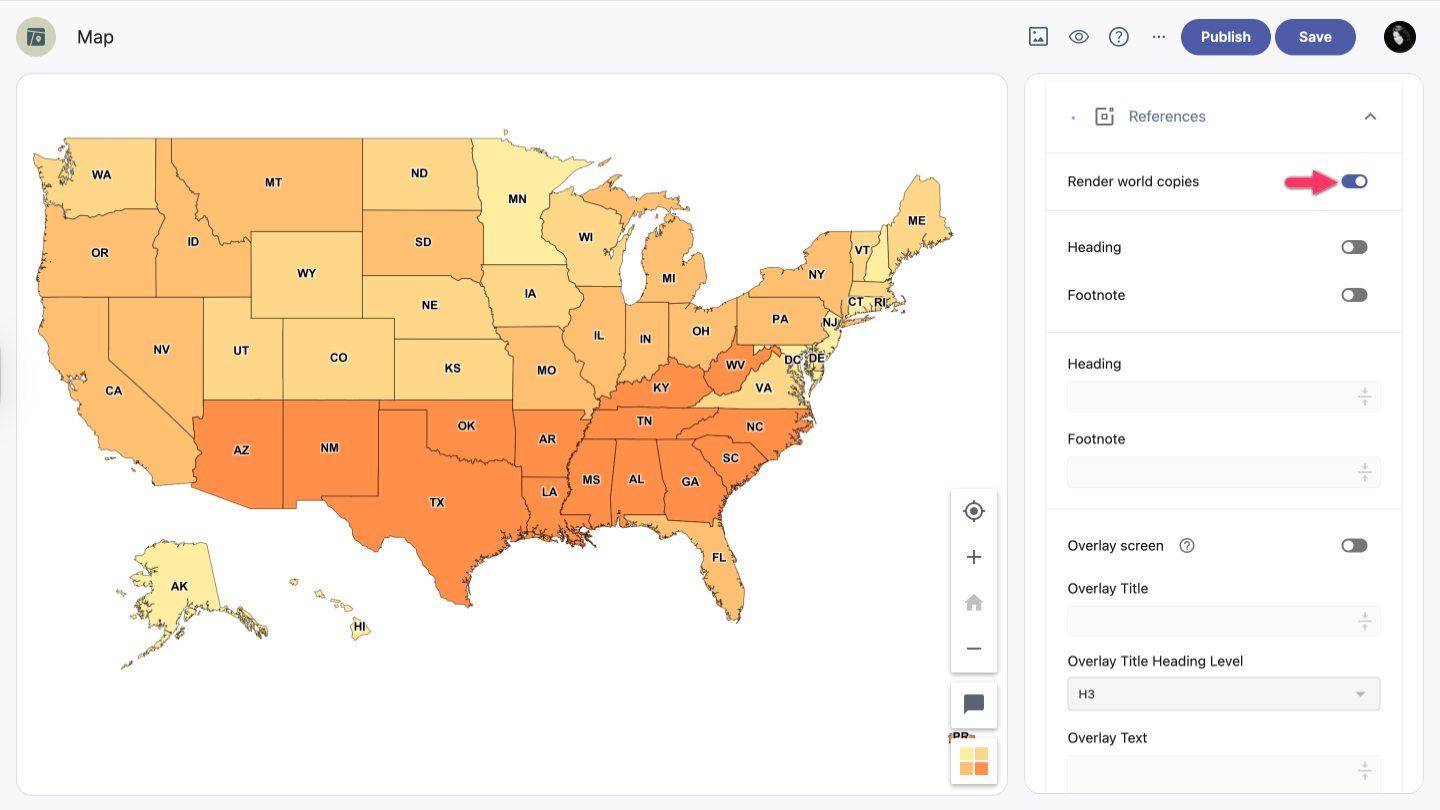
Render world copies
The Render world copies option toggles between rendering a single world and multiple copies of the world. When enabled, multiple copies of the world are rendered side by side beyond -180 and 180 degrees longitude.
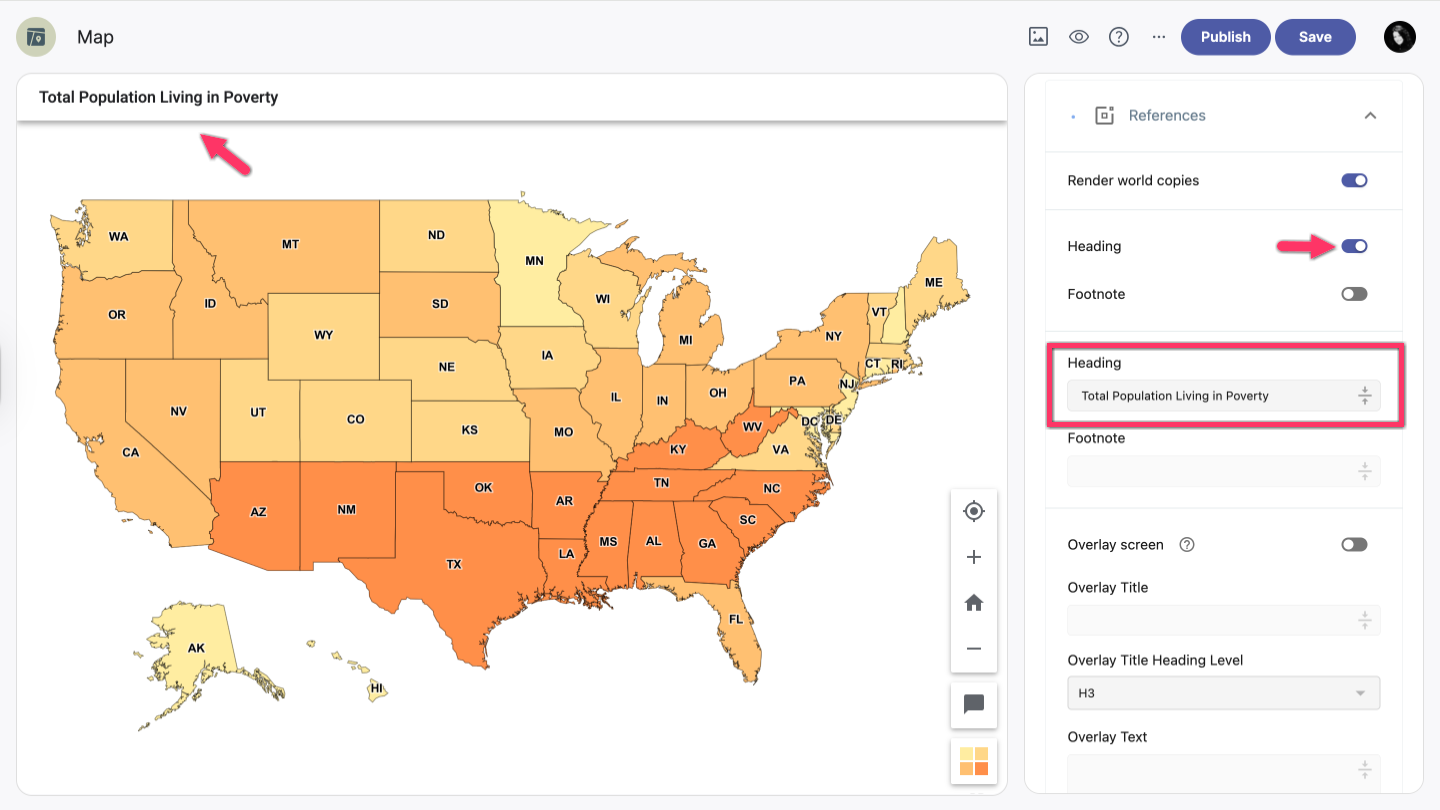
Heading
- To add a heading to your map, click the button to enable the Heading option.
- To add a title to your map, click the Title field and enter the heading title.
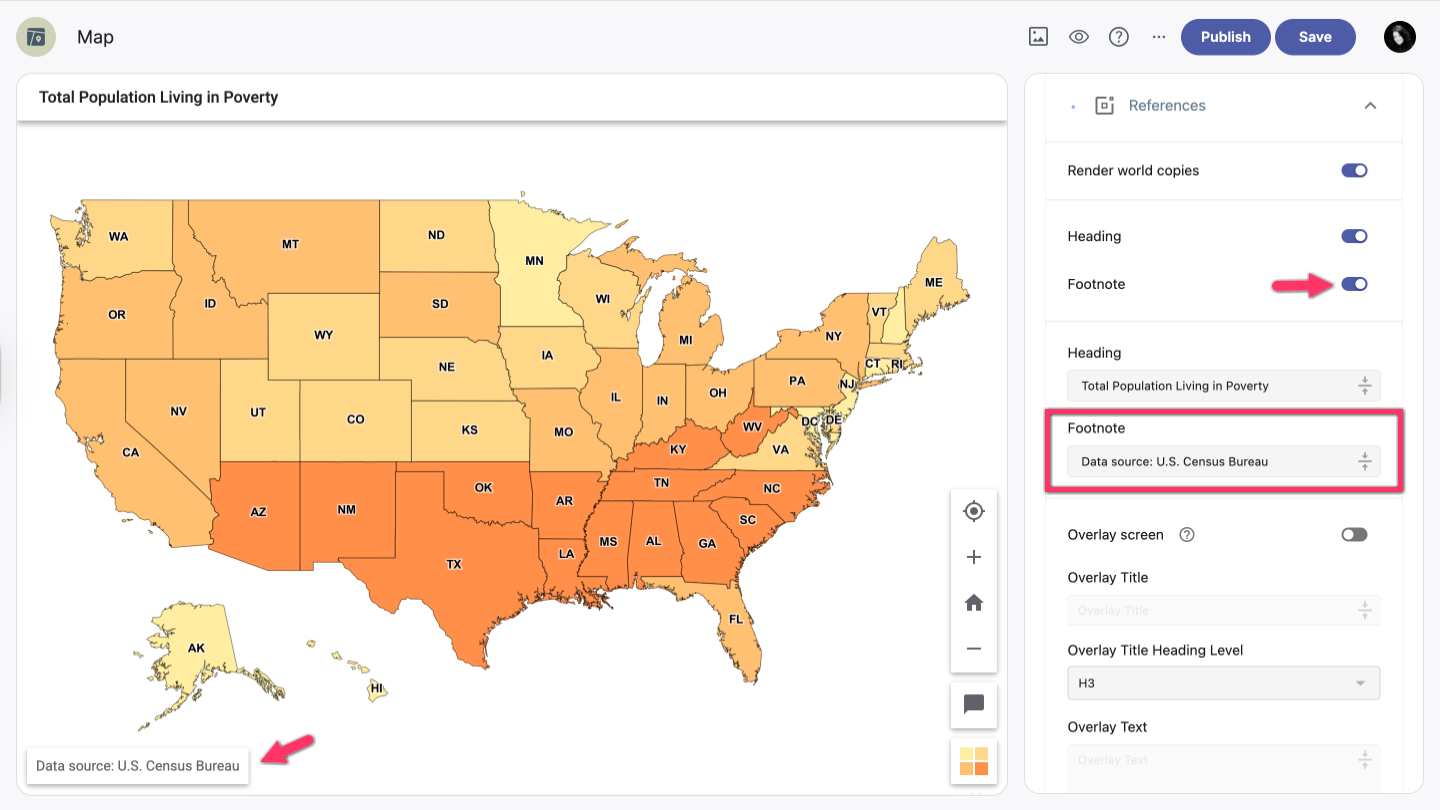
Footnote
- To add a footnote to your map, click the button to enable the Footnote option.
- To add some text to your footnote, click the Title field and enter the footnote text.
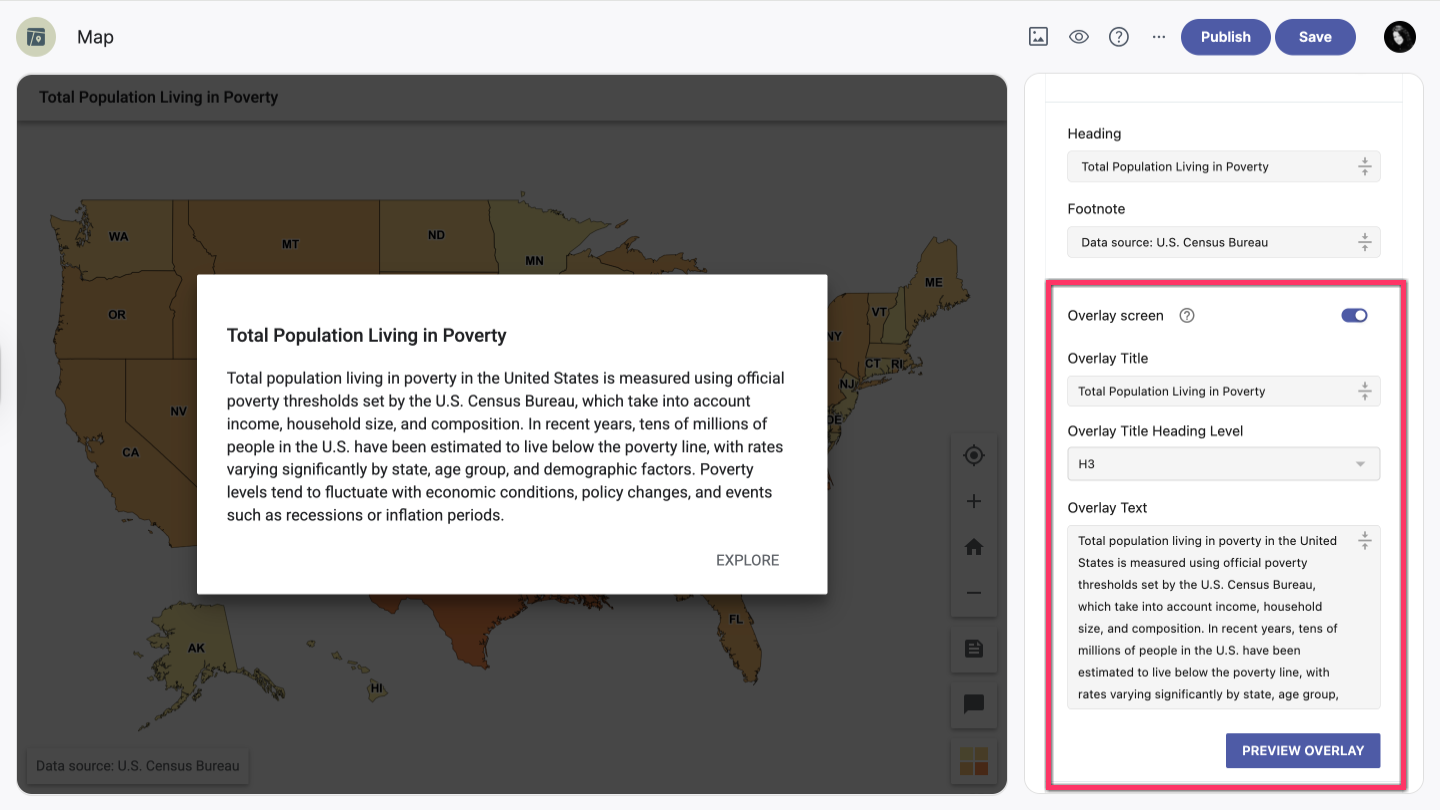
Overlay screen
When you enable the Overlay screen option, your map will display an overlay screen with additional information, general tips, or guidance on how to use the map.
- To add the overlay screen, click the button to enable it.
- To add the overlay title, click the Title field and enter the overlay title.
- Choose the Overlay Title Heading Level.
- Add the overlay text in the Text field.
- Click the Preview Overlay button to see how your overlay looks.
Alternative text
Adding Alternative Text is helpful for people with disabilities who use screen readers. Once the map loads, the screen reader reads through the map content, starting with the map title followed by the alternative text (if specified). Use this field to provide any special description that should be shared with visually impaired users.