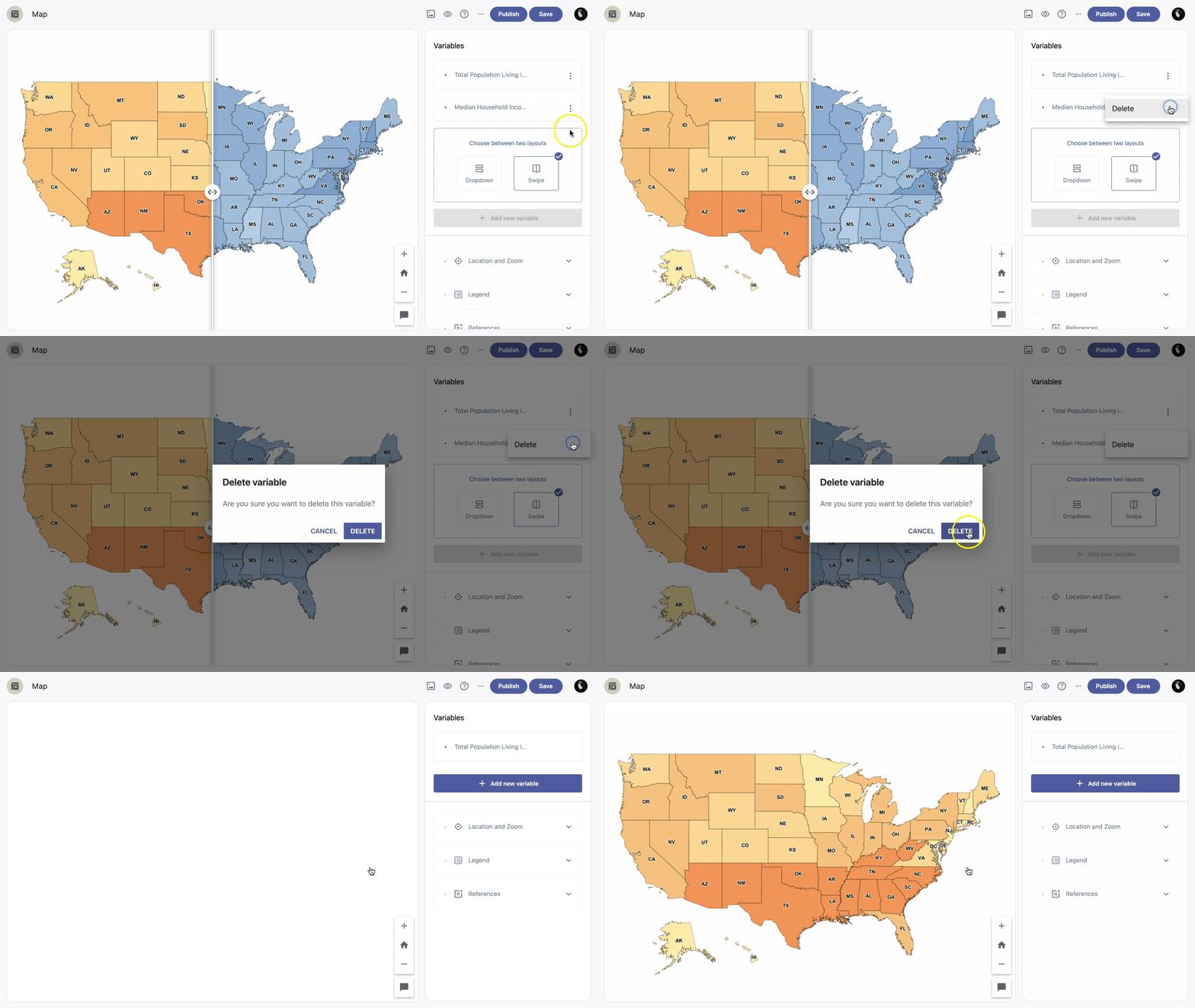
In addition to the Single variable map layout, Vizualist Map lets you choose between Dropdown and Swipe layouts. Use the Dropdown layout when you have two or more variables. The Swipe layout is available only for two variables.
Add new variable
To add a new variable, click the +Add new variable button below the list of variables. You'll be redirected to edit mode for the new variable — to return to the list, click the back button in the top left corner of the edit panel.
| Note: You can add more than two variables only if the Dropdown layout is selected. |
Delete variable
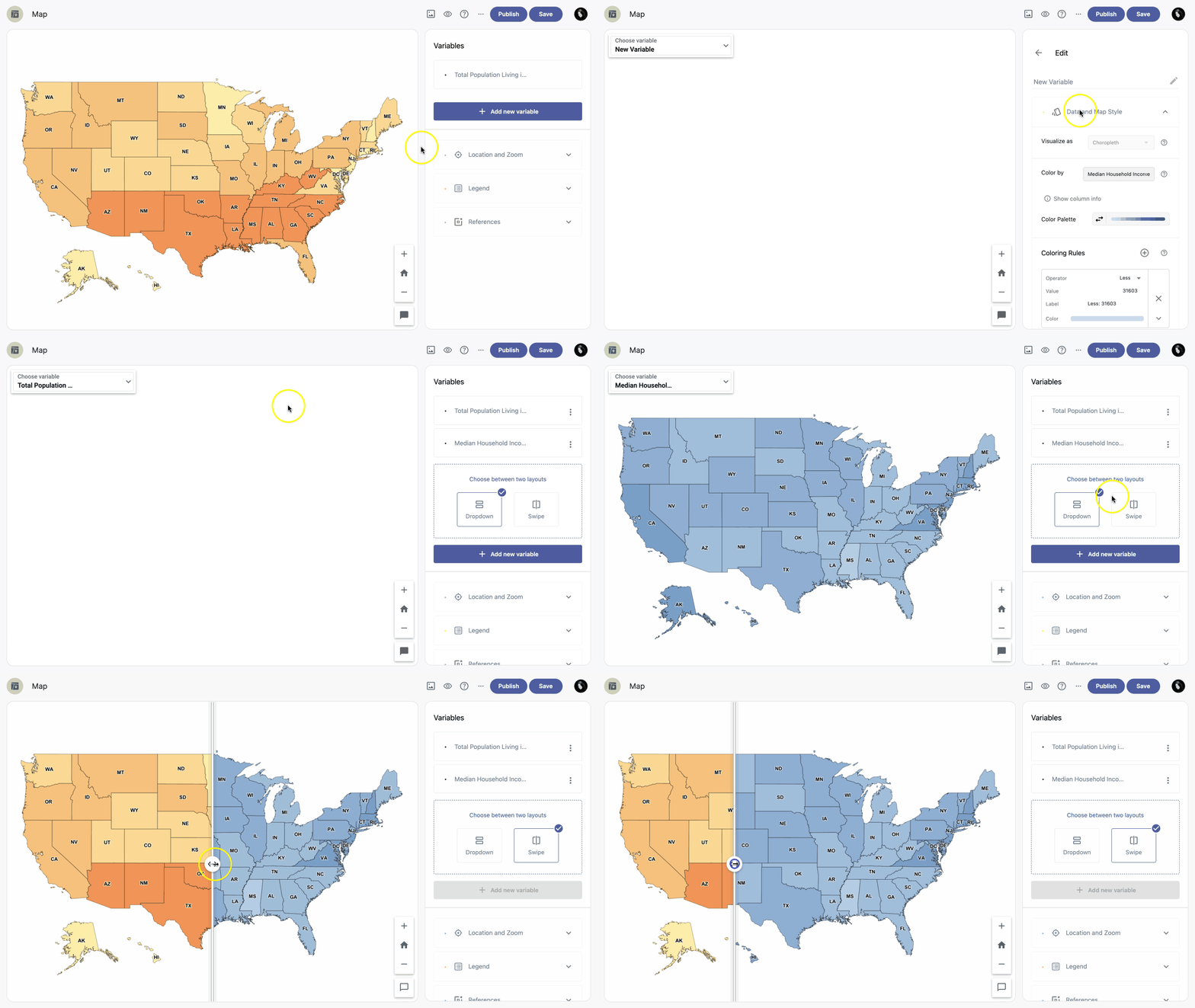
If you no longer need a variable, or created one by accident, you can delete it.
- Click the Menu icon next to the variable name.
- Click Delete.
- Confirm by clicking the Delete button.
| Note: Once you delete a variable, this action cannot be undone. |