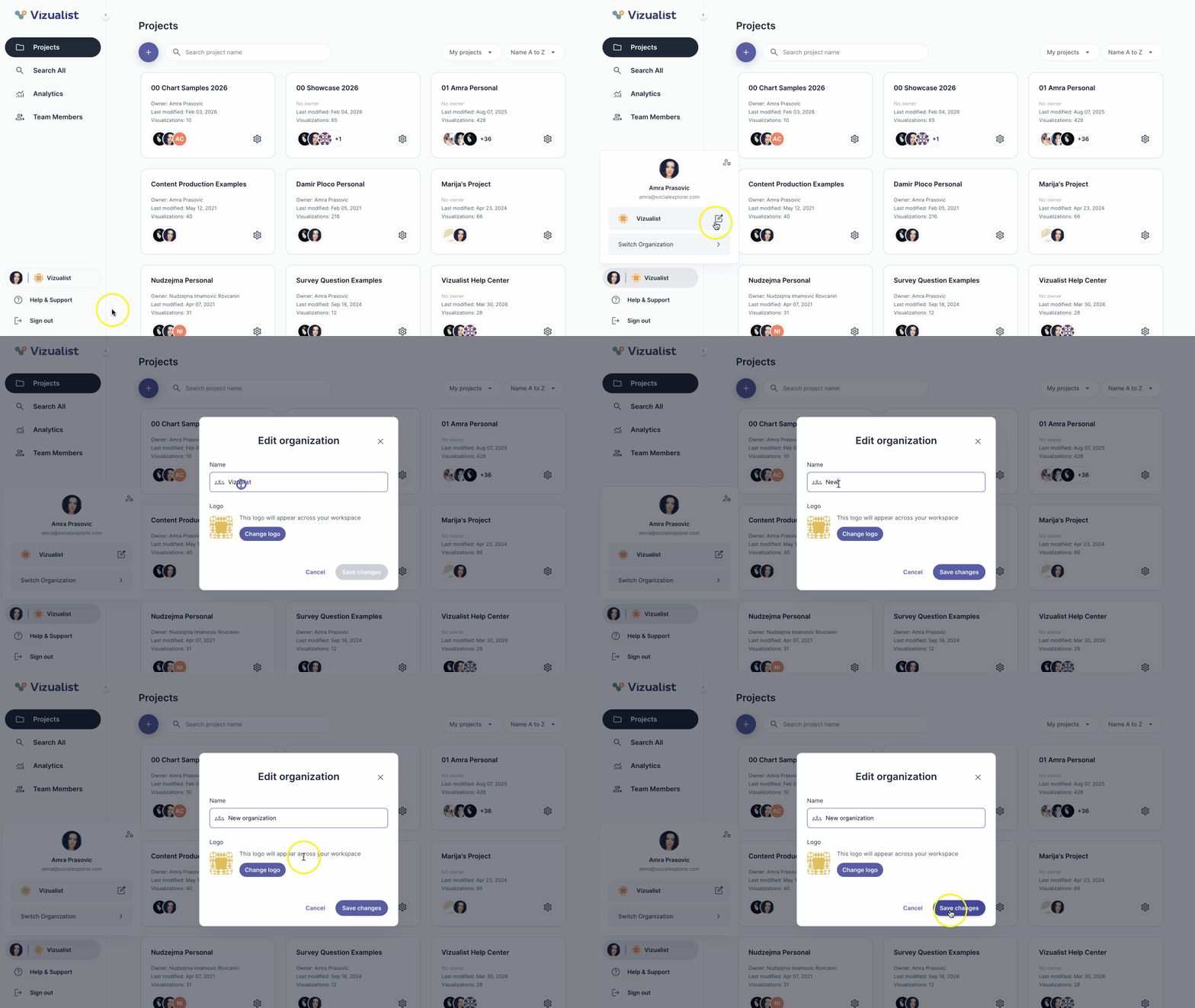
To rename an organization:
- Navigate to the organization.
- Click the organization name in the bottom part of the organization side panel.
- Click the edit icon edit_square.
- Enter the new organization name.
- Click Save changes.
| Note: Only organization admins can rename the organization. |