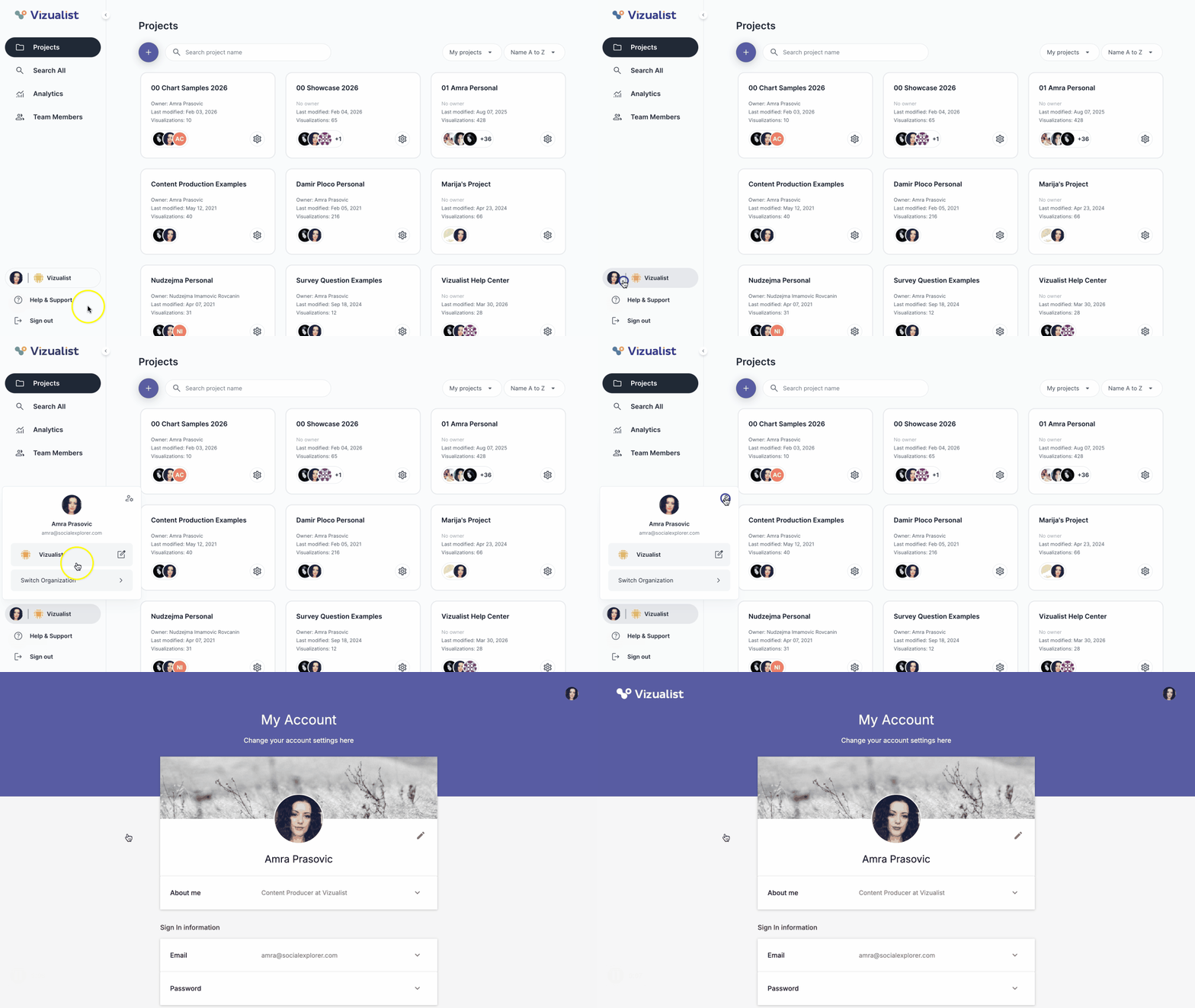
To view your account information:
- Navigate to the organization.
- Click your avatar in the bottom part of the organization side panel.
- Click the account settings icon .
The Account page will open automatically.
| Note: To learn more about the account page, see Account settings. |