Once you create an account, you’re automatically signed in. However, if you clear your browsing history or switch to a different device, you might need to log in again.
Log in
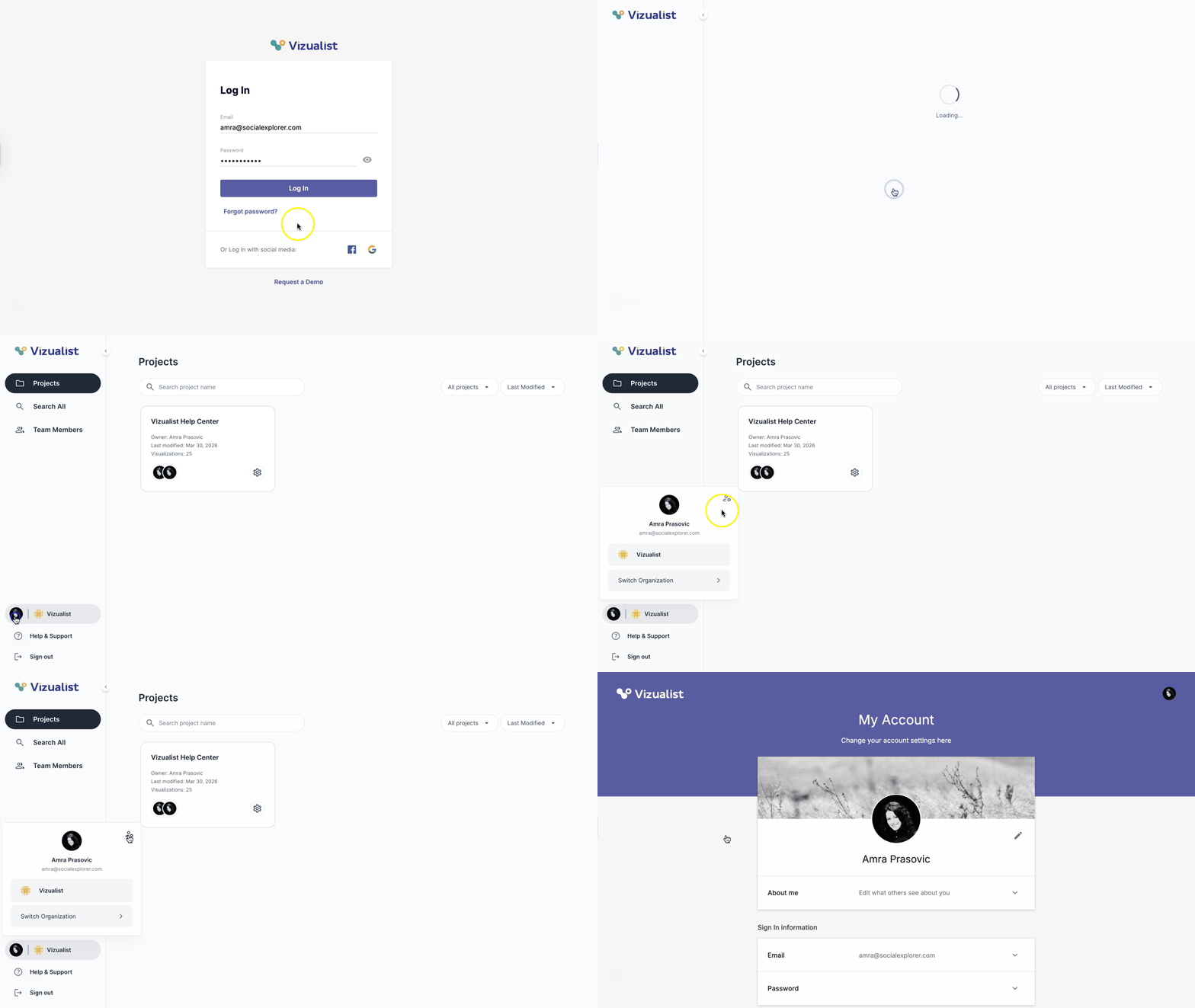
- Go to the Log In page.
-
Enter your email and password.
Note: If you signed up using a Facebook or Google account, click the icon in the bottom right corner. - Click Log In. You'll be taken to the Vizualist dashboard.
- Click the avatar with your photo or your initials in the left side panel.
- Click the manage account icon . You'll be taken to the Account page.
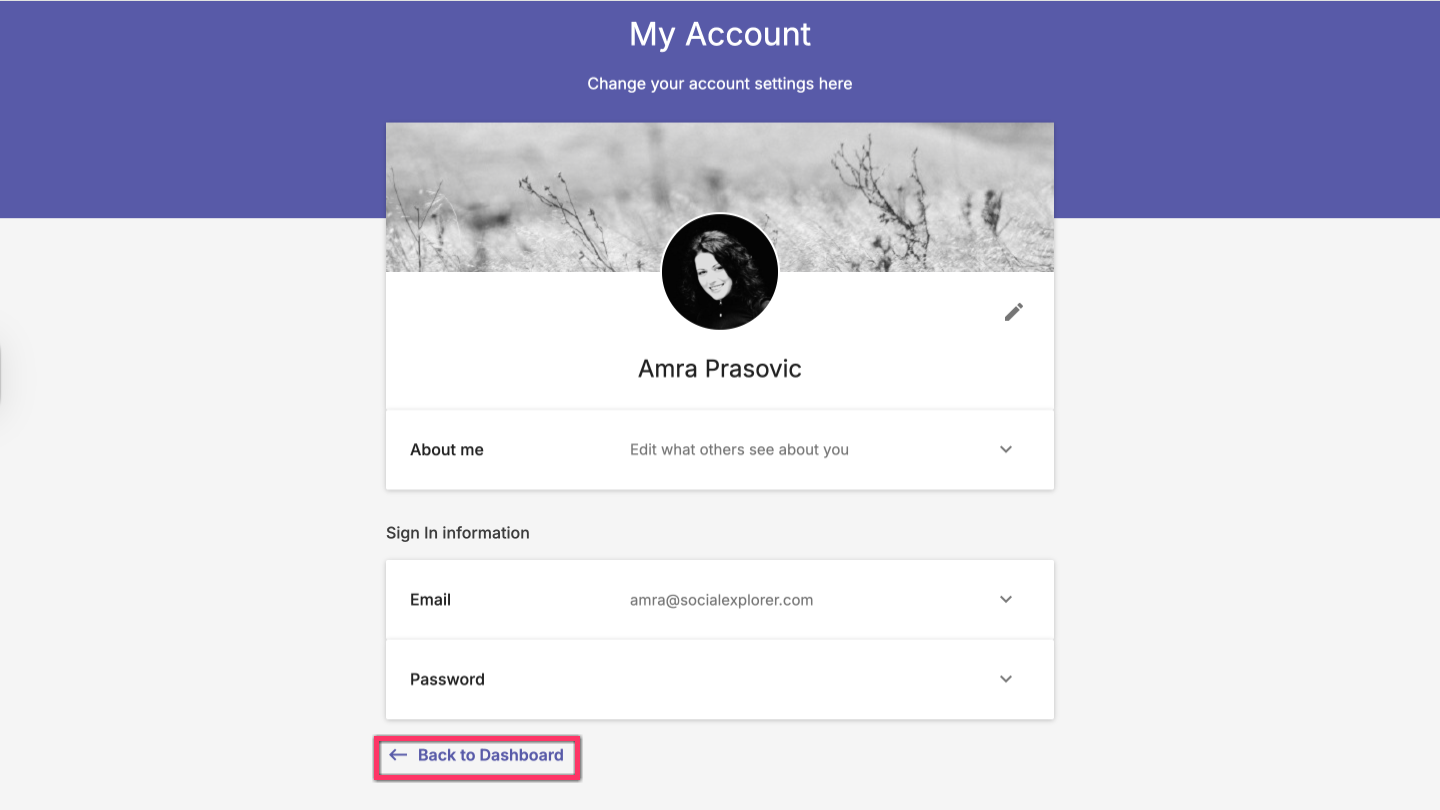
Back to dashboard
If you want to go back to the Vizualist dashboard, click the Back to dashboard button at the bottom.
Sign out
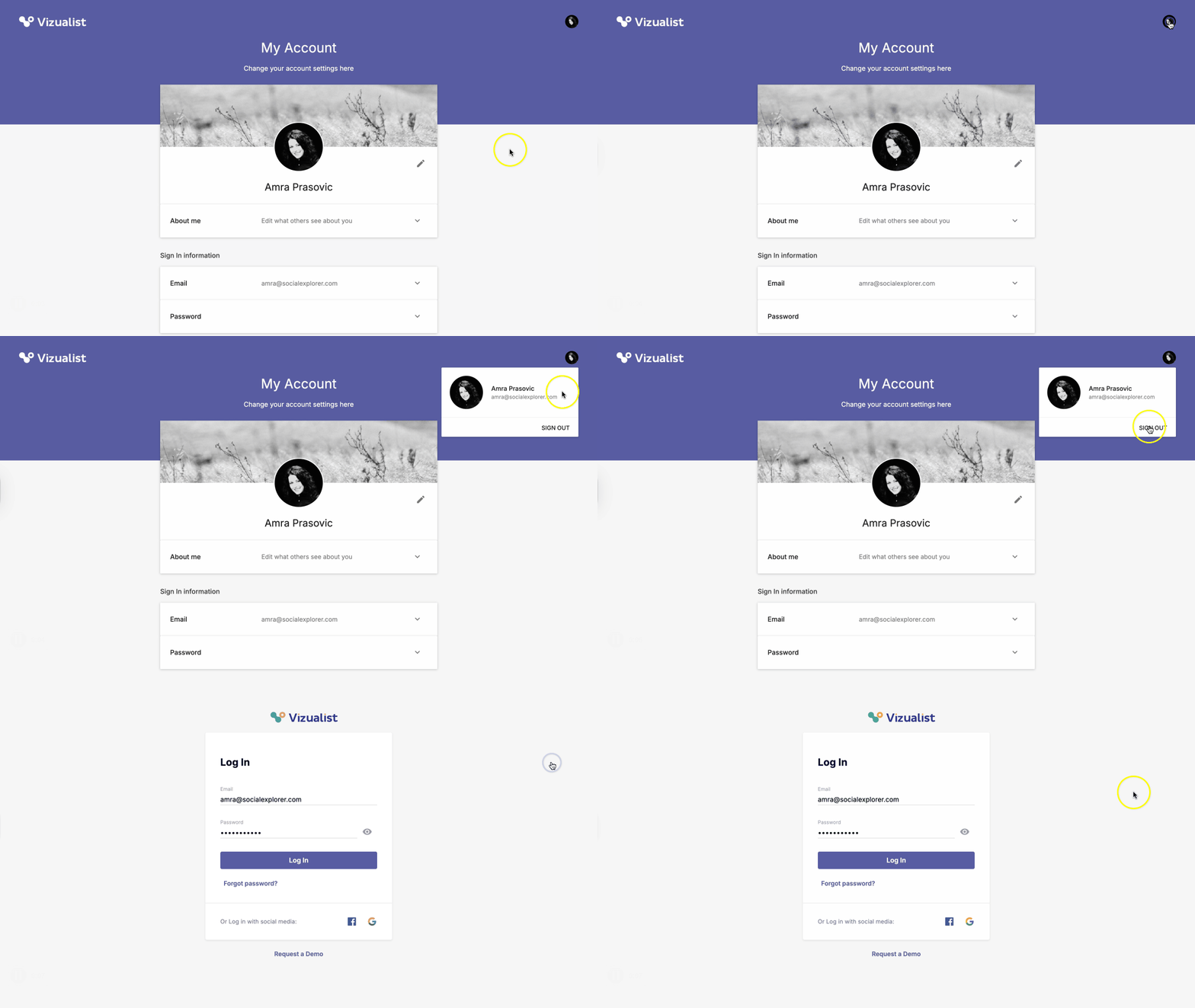
- In the upper-right corner of the Account page, click the avatar with your photo or your initials.
- Click Sign Out.