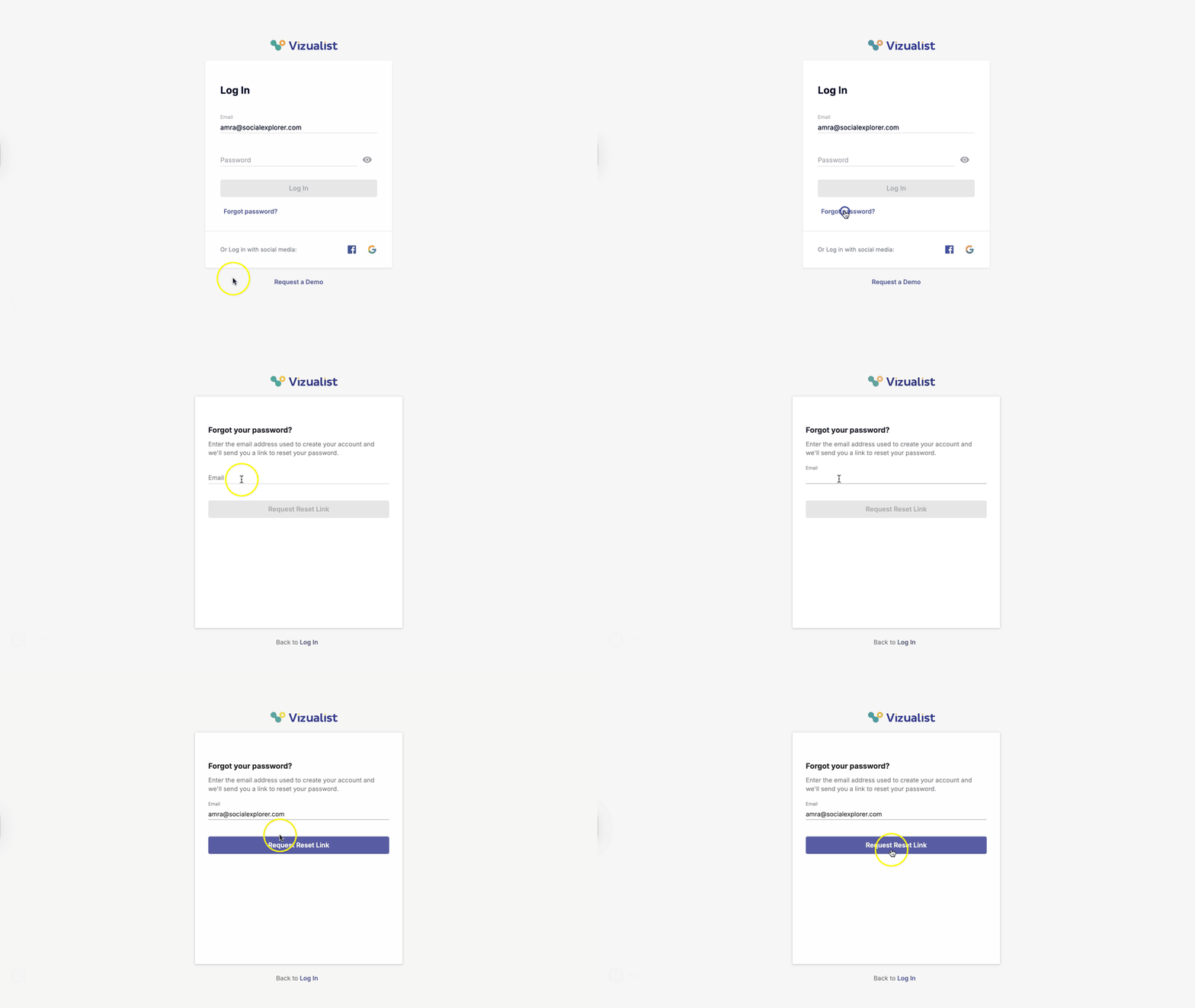
You can change your password at any time.
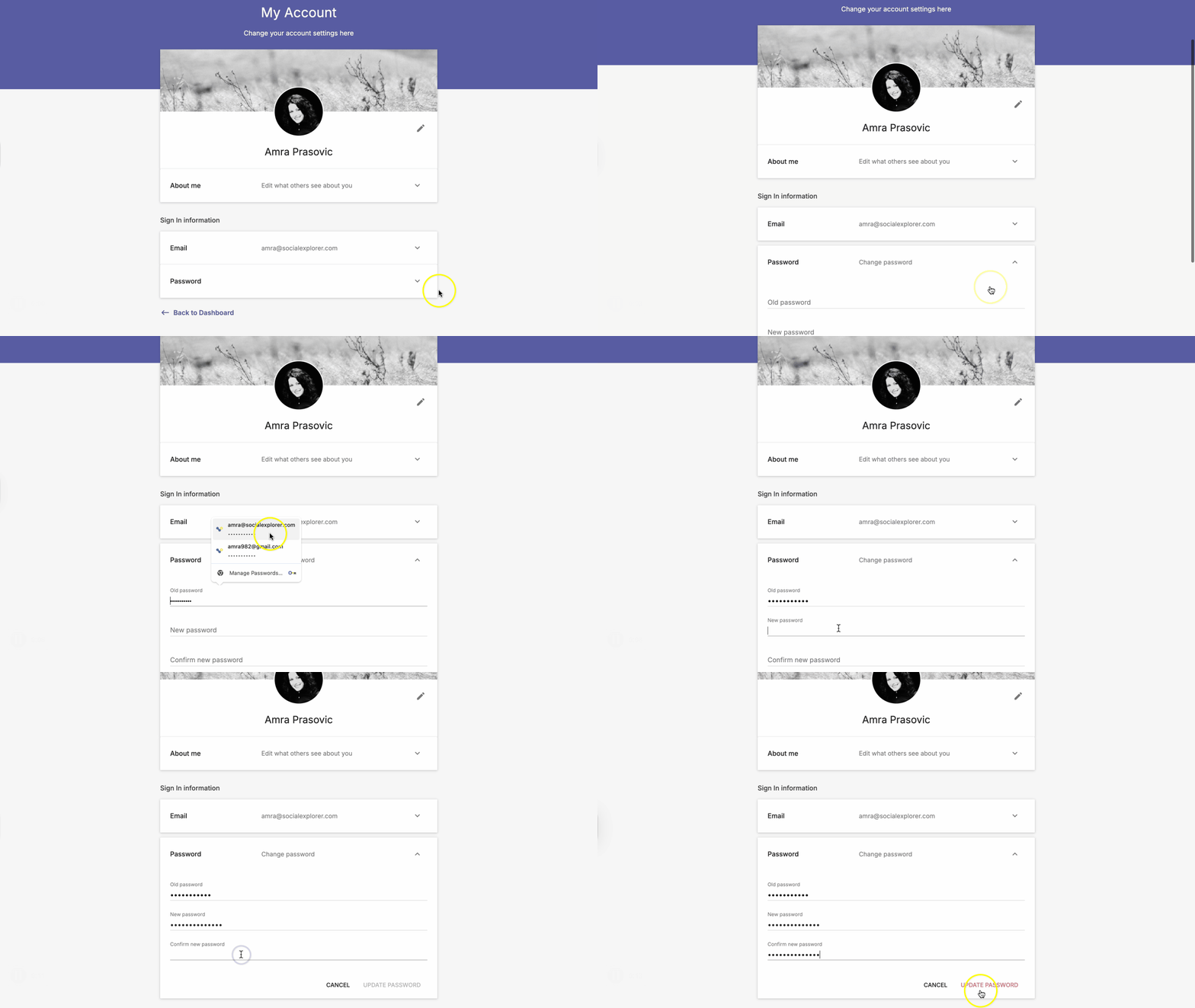
Update your existing password
- Log into your account.
- On the Account page, click the arrow icon next to Password.
- Enter your current password.
- Enter your new password in the new password fields.
- Click Update password.
Reset your password
If you forgot your password, you can easily reset it.
- Head over to the Log In page.
- Click Forgot password?
- Enter the email address you used when creating your Vizualist account.
- Click Request Reset Link.
- Check your email for instructions on resetting your password.