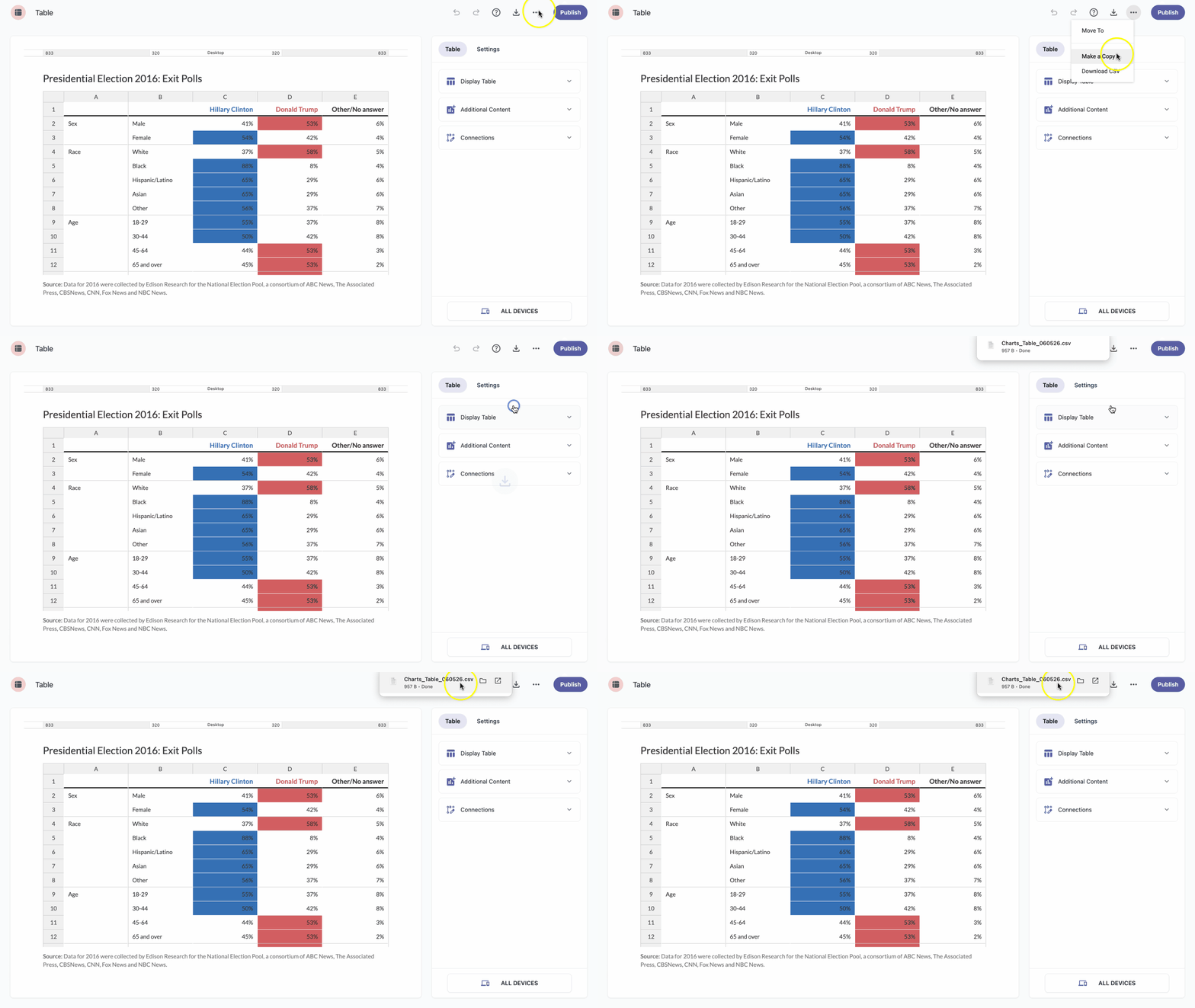
You can download all the data from your table at any time as a CSV file.
- In the table editor, click the three-dot icon at the top of the page.
- From the dropdown choose Download CSV.
- Depending on your browser settings, you may need to set the download destination and click Save.