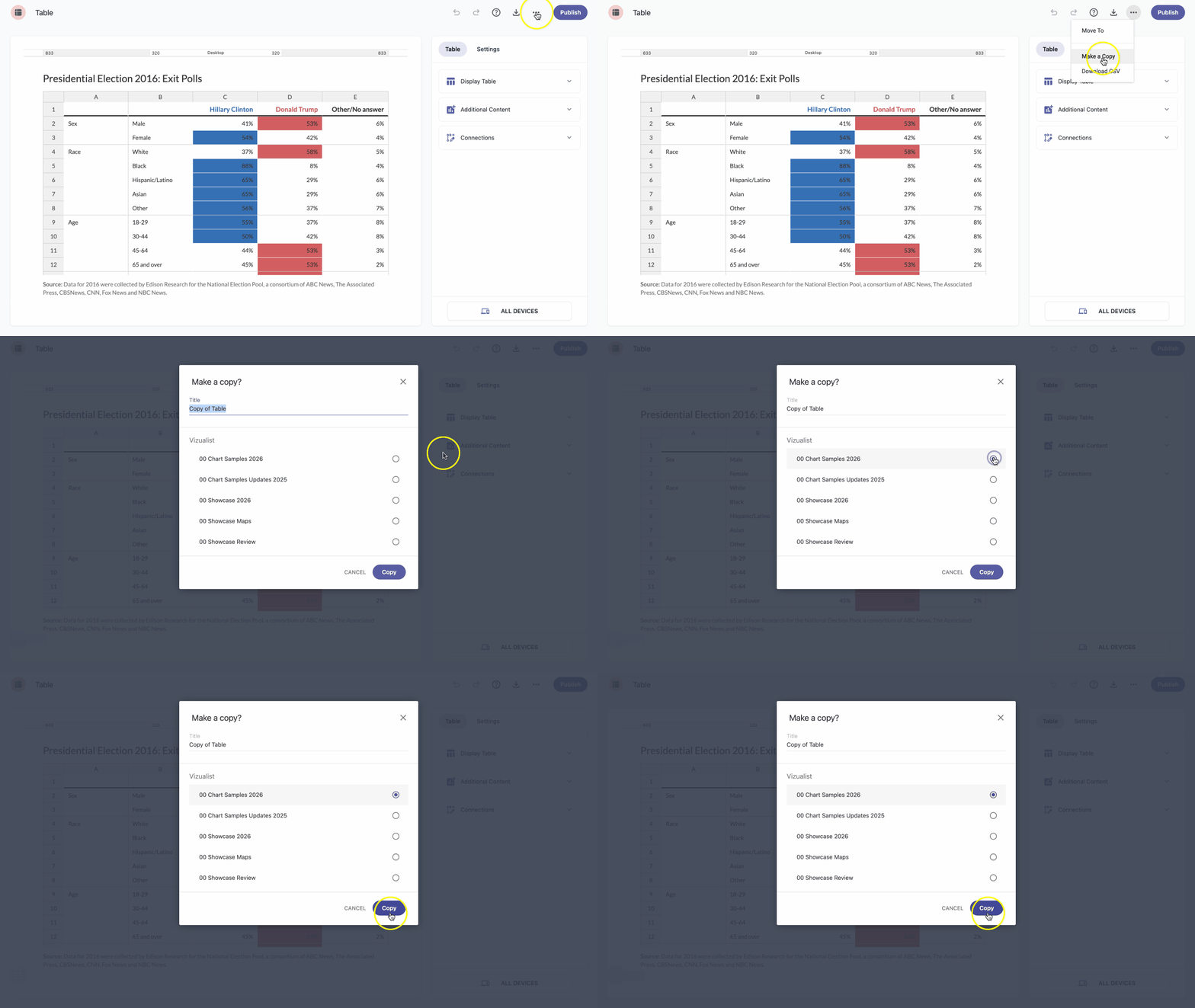
- In the table editor, click the three-dot icon at the top of the page.
- From the dropdown choose Make a Copy.
- Change the table title if you want and select the project where you want to copy your table.
Click the Copy button.
Note: The table will become visible to all project members once you copy it, and they will also be able to edit it.