Question types
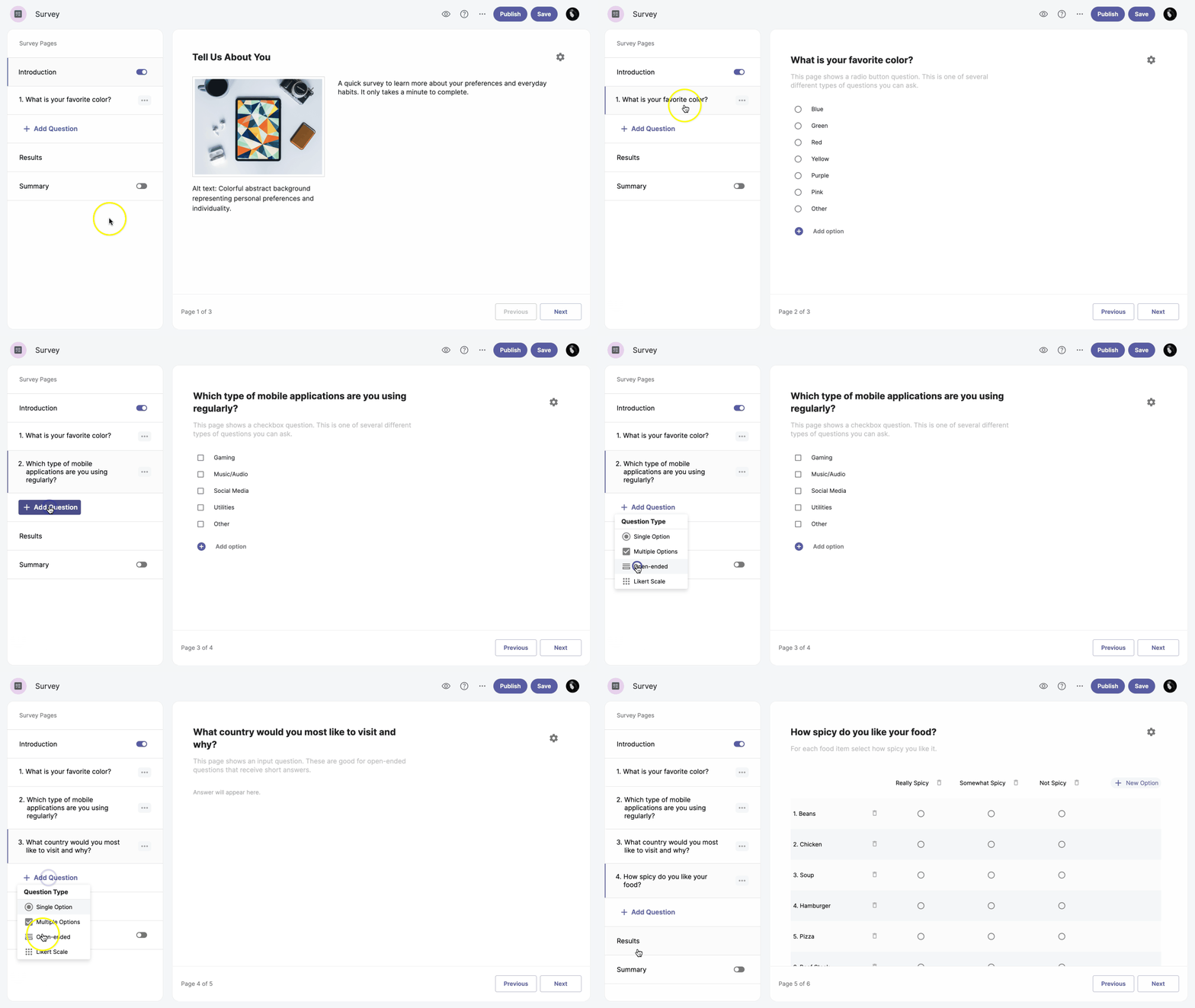
Our Survey application offers you four types of questions:
- Single Option - You can select one single answer option from a list of alternatives.
- Multiple Option - This question type allows you to choose one or more answer options.
- Open-ended - A type of question where you can write your answer in a text box.
- Likert Scale - This question type consists of a statement and options, and you choose the option that best fits the given statement.
Add question
To add a question, go to the +Add Question button in the left-hand sidebar and select a question type from the list.
Duplicate question
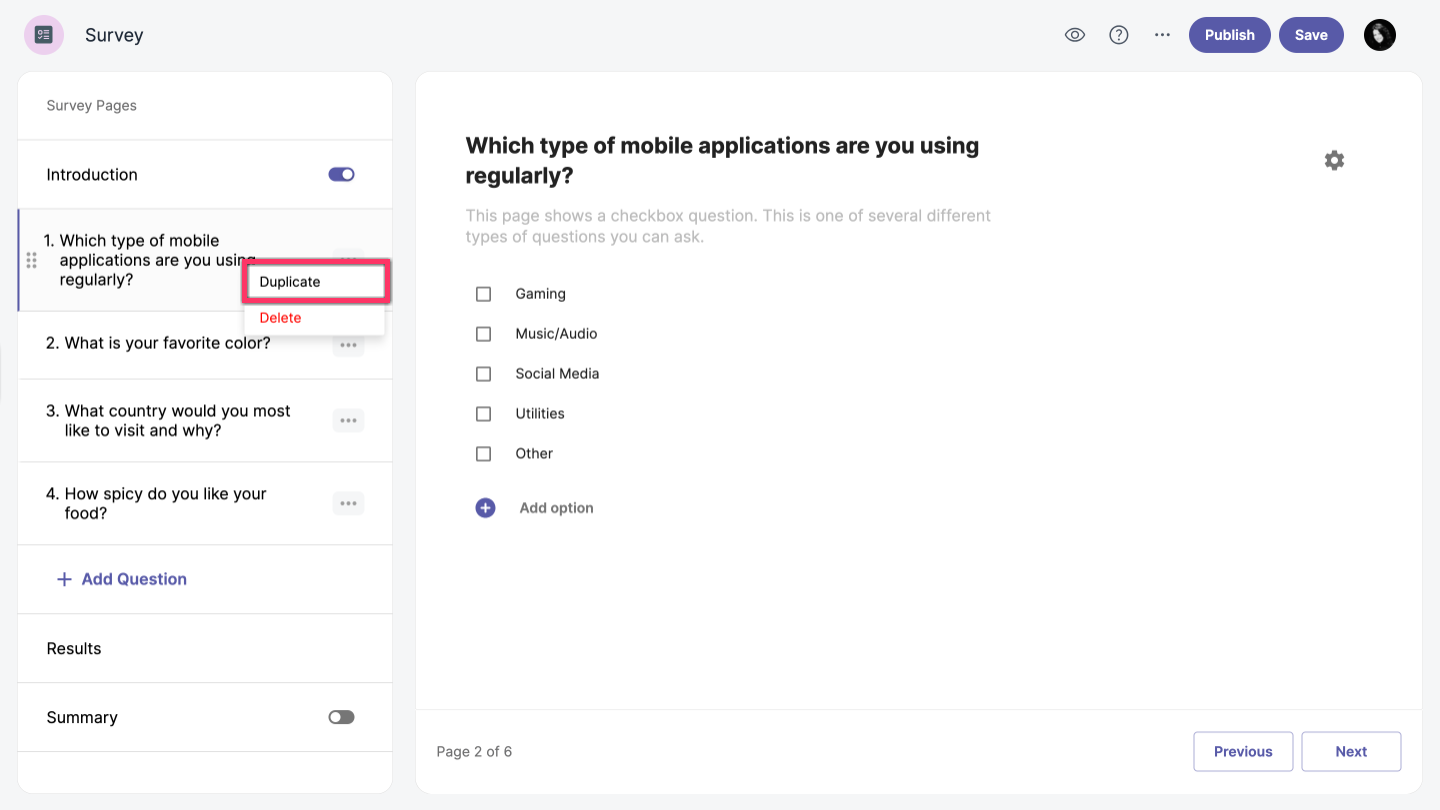
To duplicate a question, click the Additional options next to the question and select the Duplicate option.
Move question
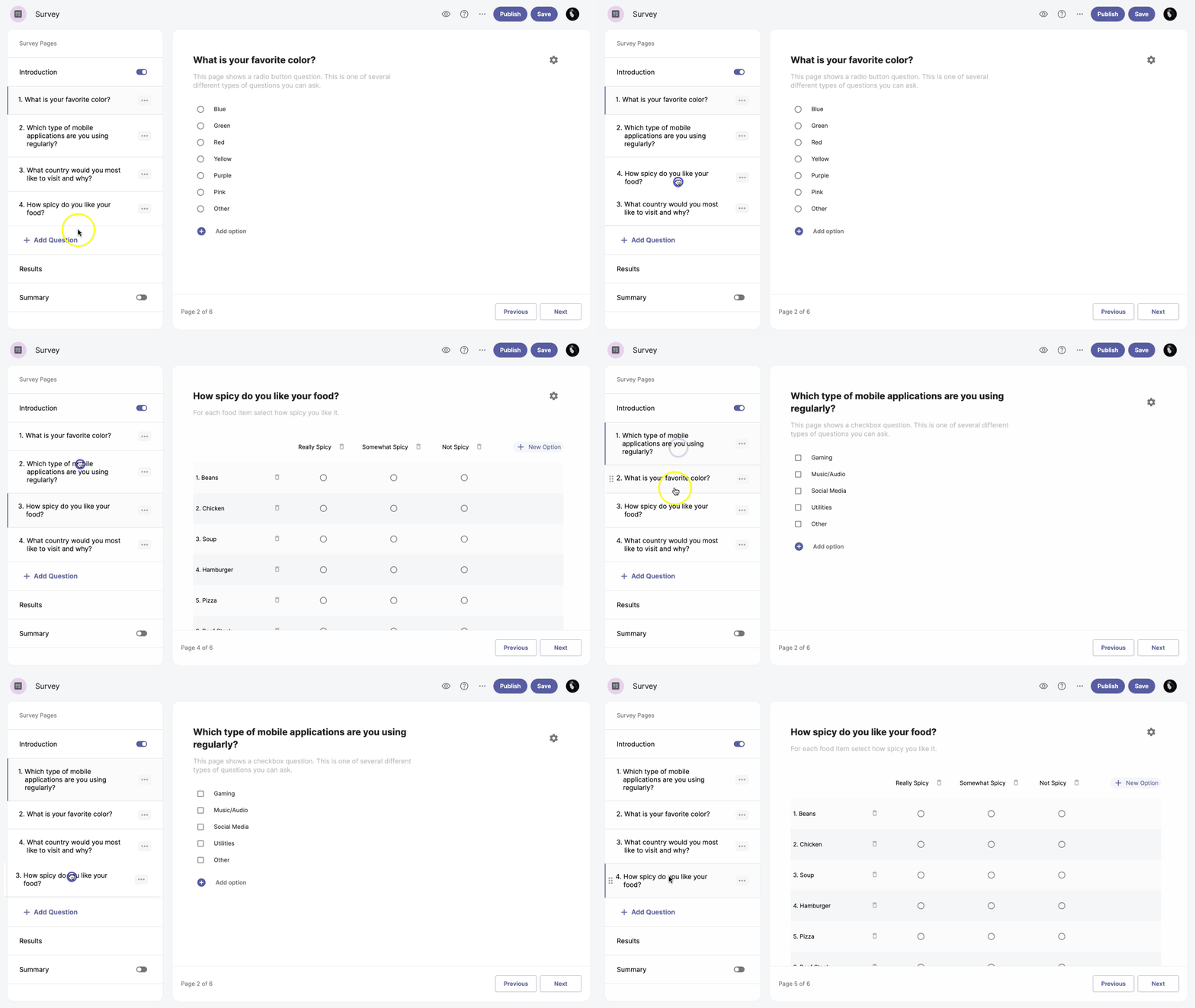
To reorder questions, simply click and drag the question to the desired location.
Delete question
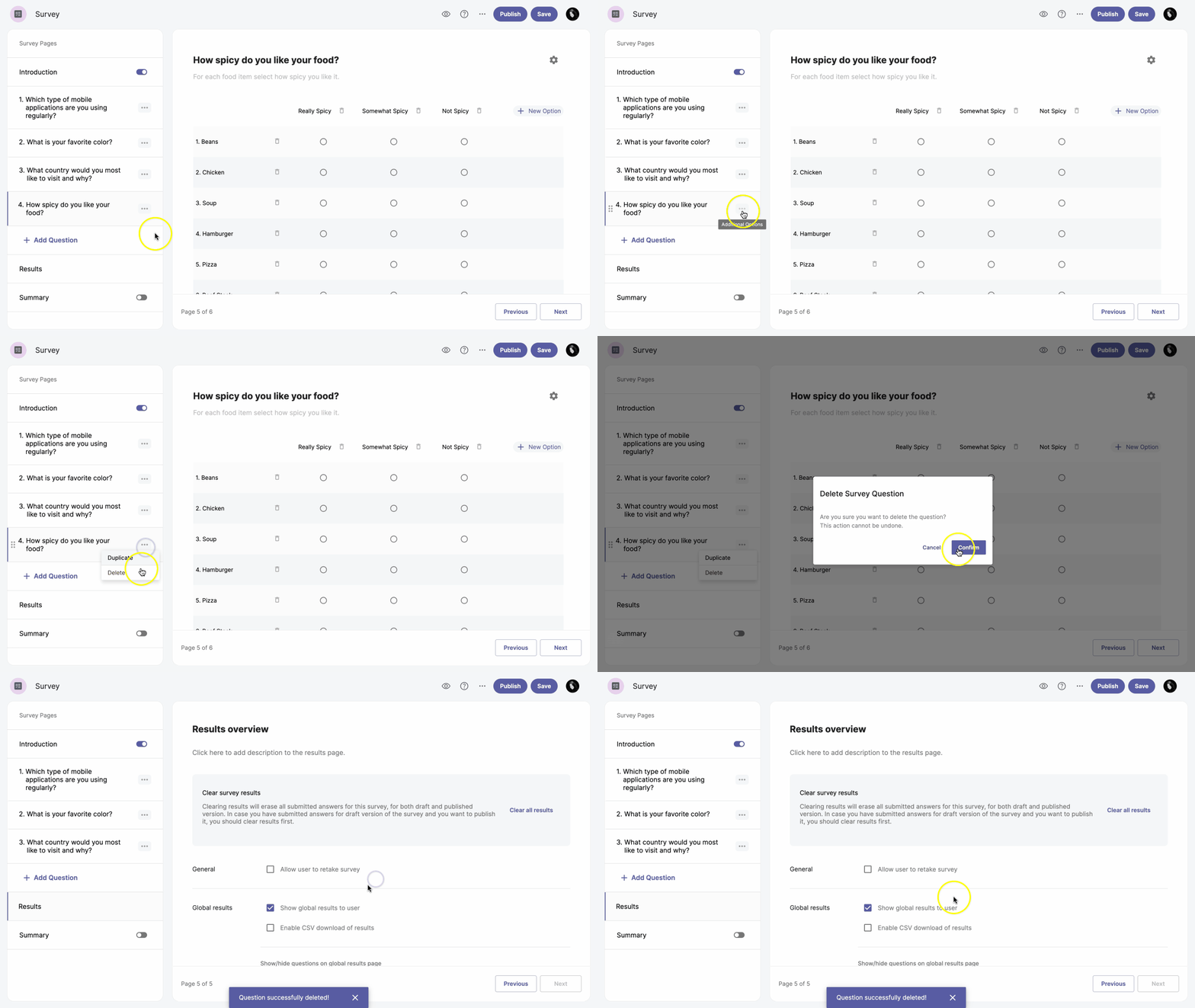
To delete a question, follow these steps:
- Click the Additional options next to the question.
- Select the Delete option.
- Click Confirm.