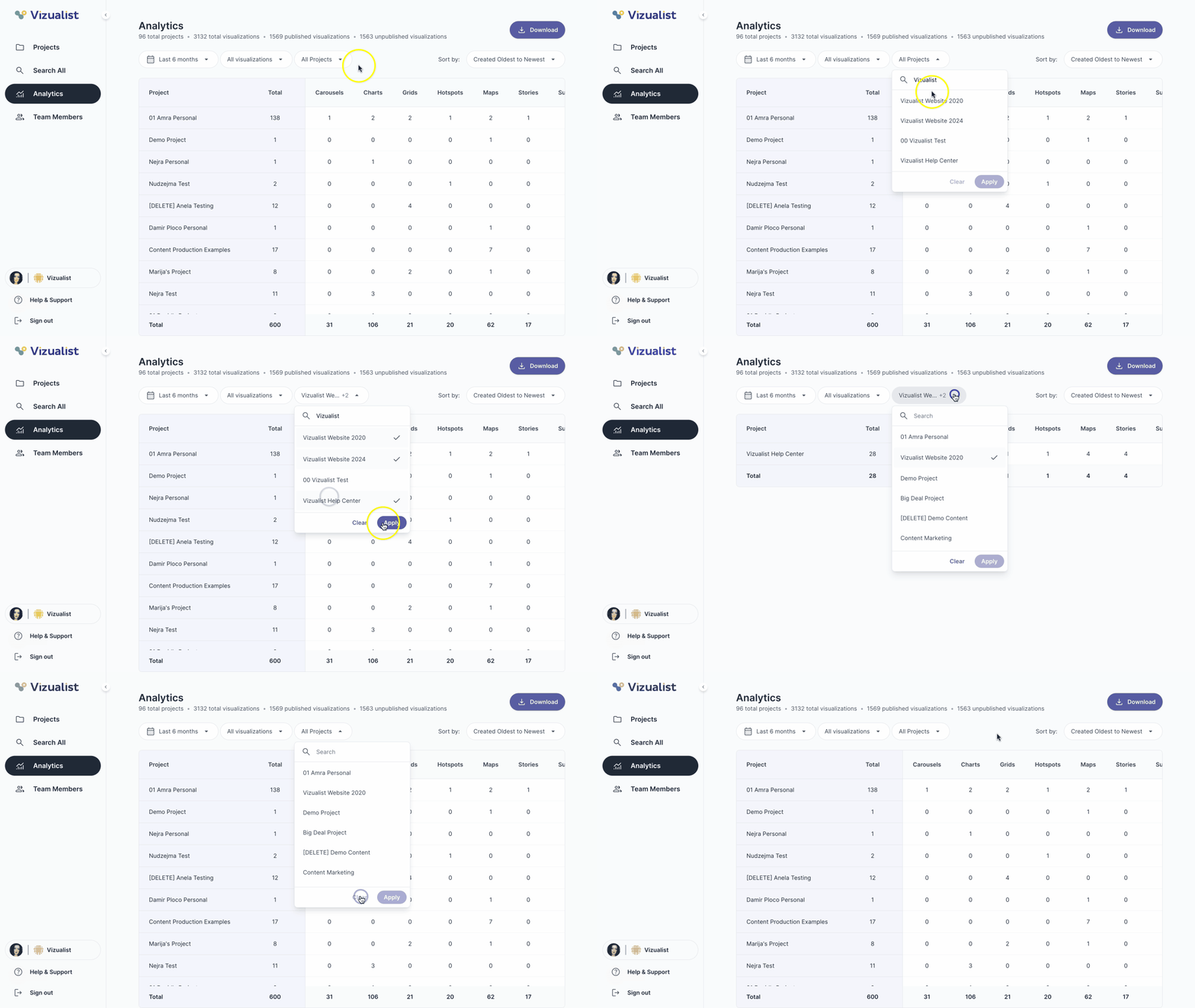
To filter the analytics list, use the filter dropdowns at the top of the page. You can filter by date range, publish status, and project.
| Note: This option is only available to organization admins. |
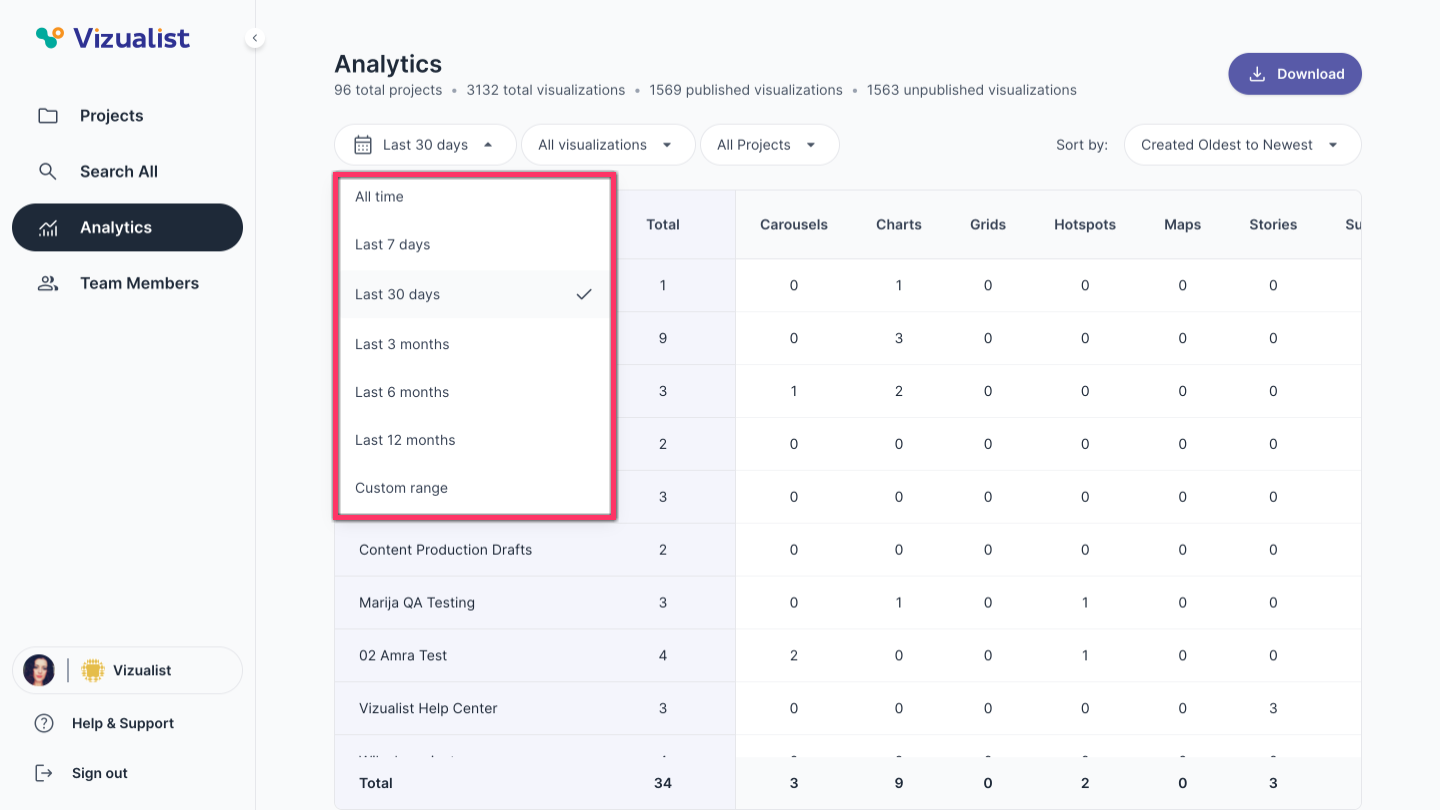
Filter by date range
- All time — shows results from all time
- Last 7 days — shows results from the last 7 days
- Last 30 days — shows results from the last 30 days
- Last 3 months — shows results from the last 3 months
- Last 6 months — shows results from the last 6 months
- Last 12 months — shows results from the last 12 months
- Custom range — set a specific start and end date
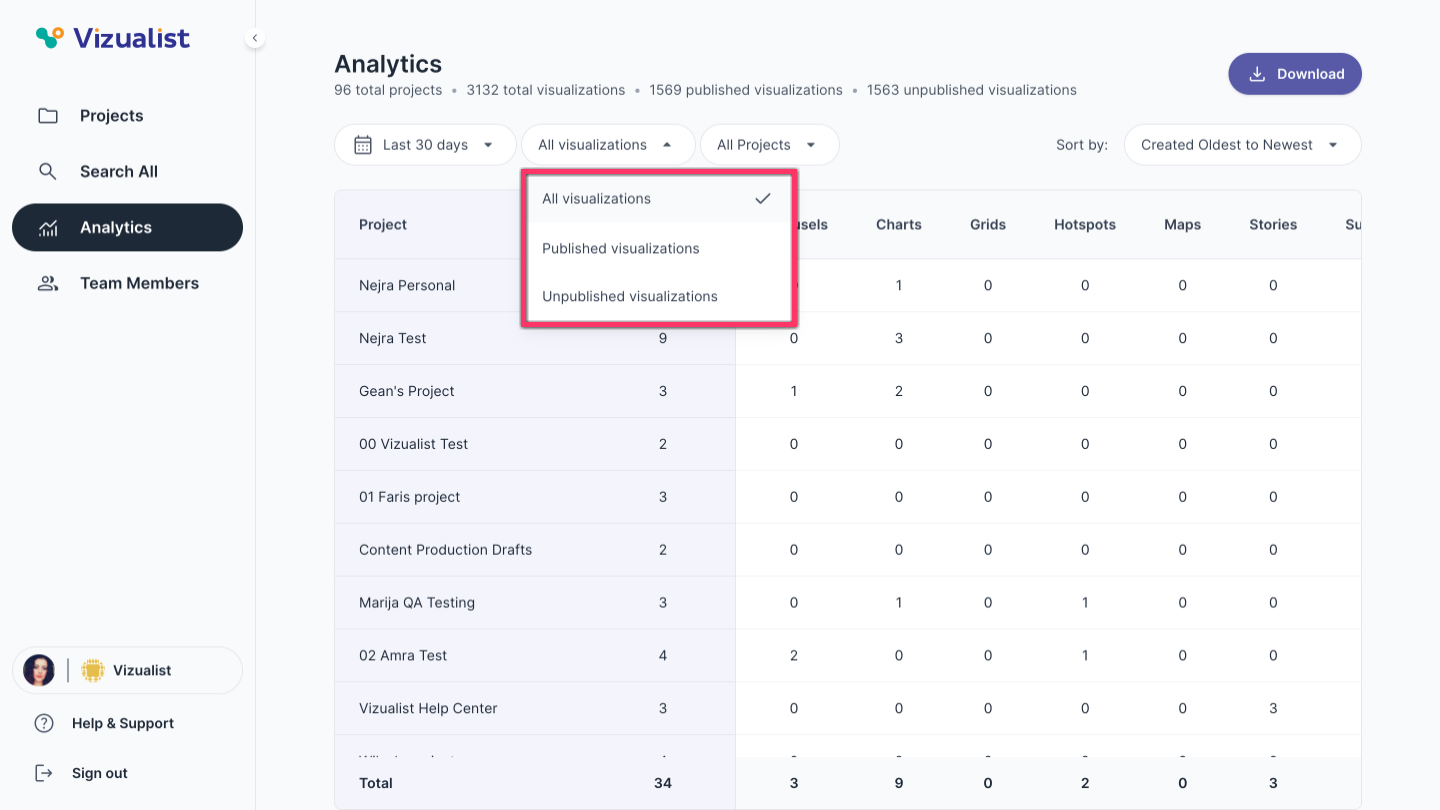
Filter by publish status
- All visualizations — shows all visualizations regardless of publish status
- Published visualizations — shows only visualizations that have been published
- Unpublished visualizations — shows only visualizations that have not been published
Filter by project
- Select a project from the list, or search for it using the search bar.
- Click Apply.