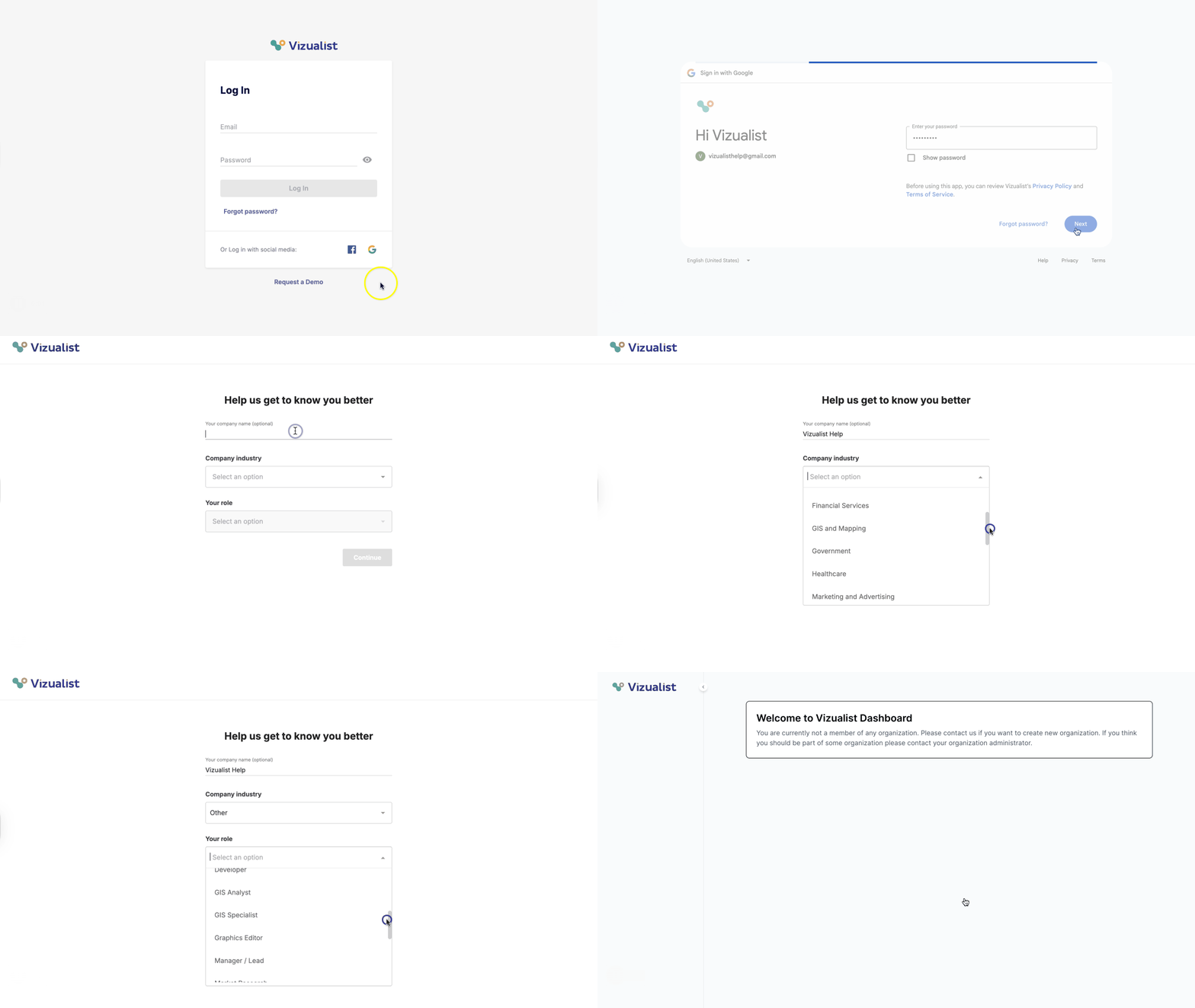
- Head over to the Log In page.
- Click the Google icon
 in the bottom right corner.
 -
You'll be asked to sign in using your Google credentials.
Note: You'll be asked which Google services Vizualist can access, such as Drive files or Sheets. These permissions are optional. Note: By signing in, you agree to the Vizualist Privacy Policy and Terms of Services. - Enter the name of your company, industry, and your role.
- Click Continue.
-
You'll be taken to the Vizualist dashboard.
Note: If you're not a member of any organization, contact your organization administrator to be added, or contact us if you want to create a new organization.