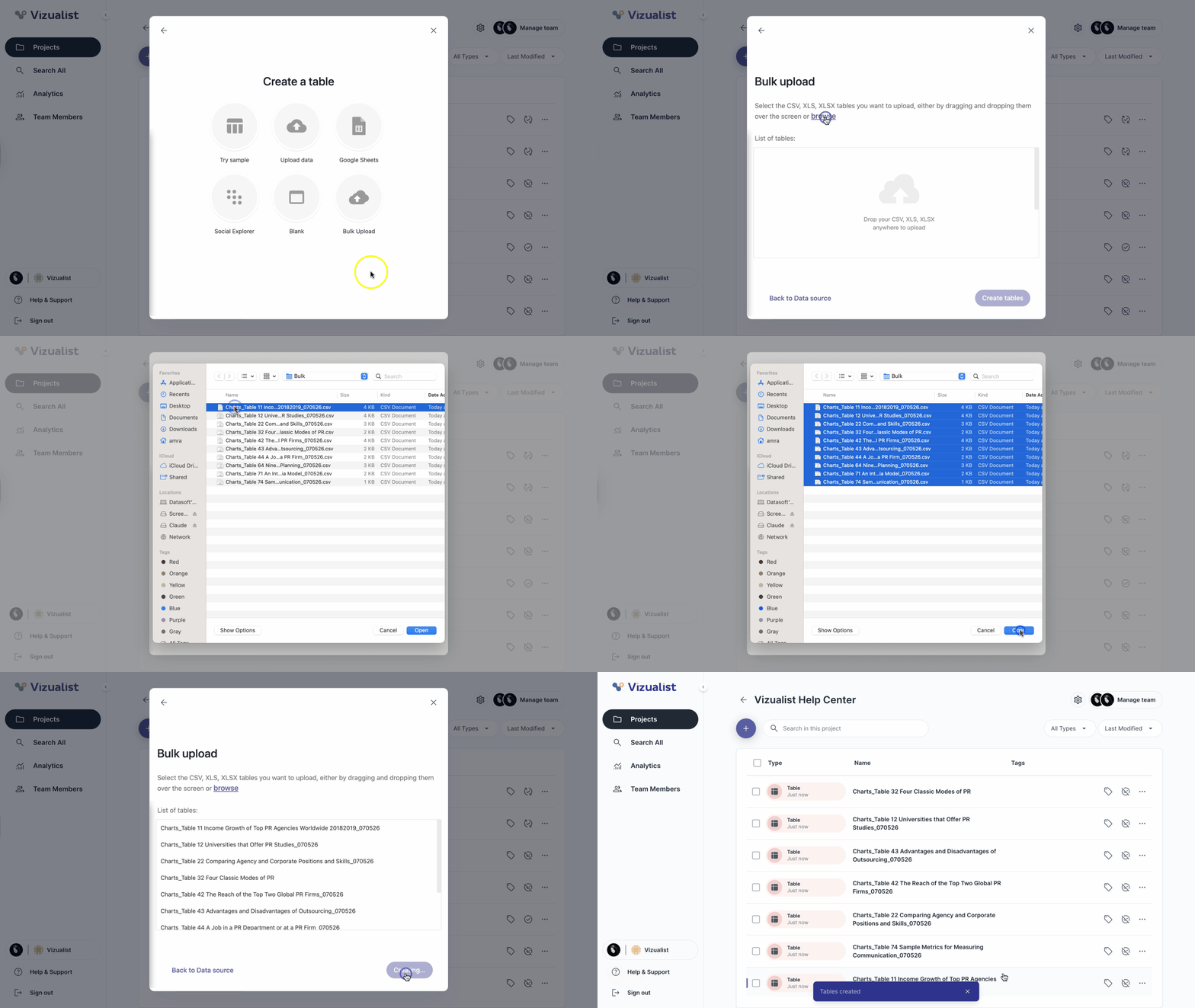
Bulk upload lets you create multiple tables at once by uploading several datasets in a single step. This is a faster alternative to creating tables one by one — useful when you have a batch of related files ready to go.
- When creating a table, select Bulk Upload.
- Click browse and select the data files, or drag and drop them into the upload area.
- Click Create tables.