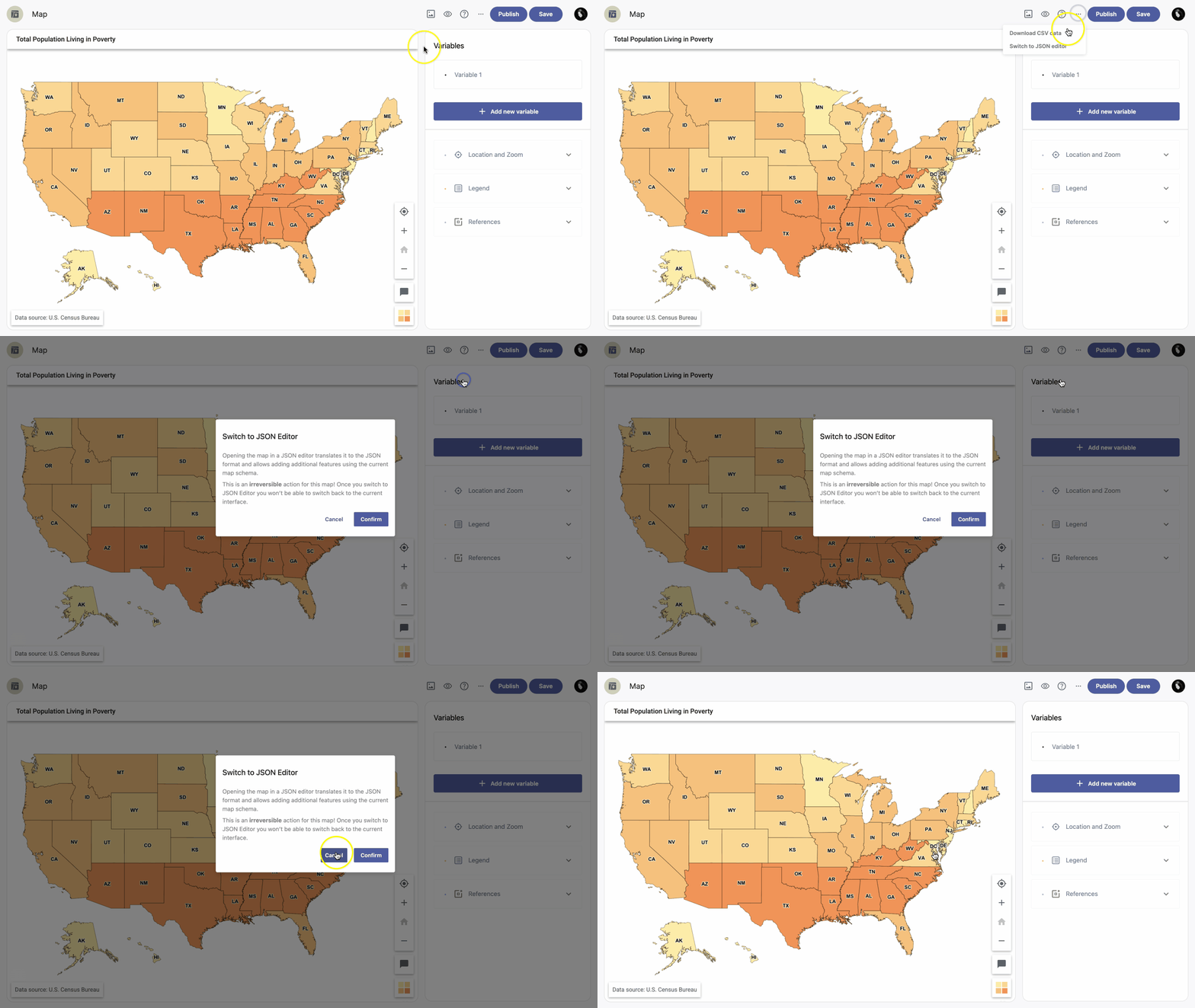
Opening the map in the JSON editor converts it to JSON format and lets you add advanced features using the current map schema.
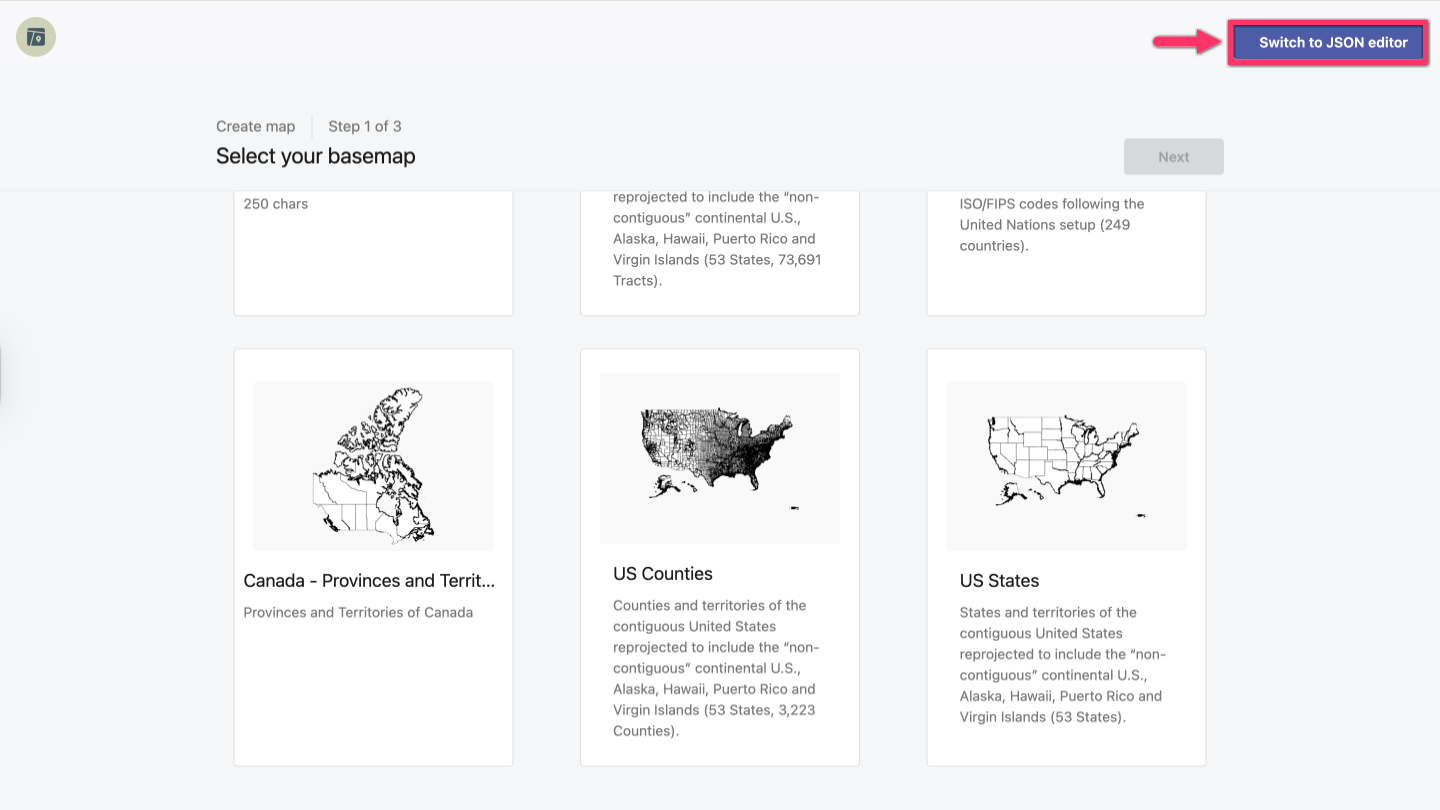
Switch to the JSON editor at the beginning of creating the map
- At the first step of creating a map (selecting the basemap), click the Switch to JSON editor button in the top right corner.
-
After reading the warning, if you're sure you want to switch to the JSON editor, click the Confirm button in the pop-up window.
Note: This is an irreversible action for this map. Once you switch to JSON Editor, you won't be able to switch back to the current interface.
Switch to the JSON editor from the Map Wizard
- Open the map you want to switch to JSON Editor.
- In the upper right corner, click and then Switch to JSON editor.
-
After reading the warning, if you're sure you want to switch to the JSON editor, click Confirm in the pop-up window.
Note: This is an irreversible action for this map. Once you switch to JSON Editor, you won't be able to switch back to the current interface.