Opening the survey in the JSON Editor converts it into JSON format and allows you to add advanced features using the current survey schema.
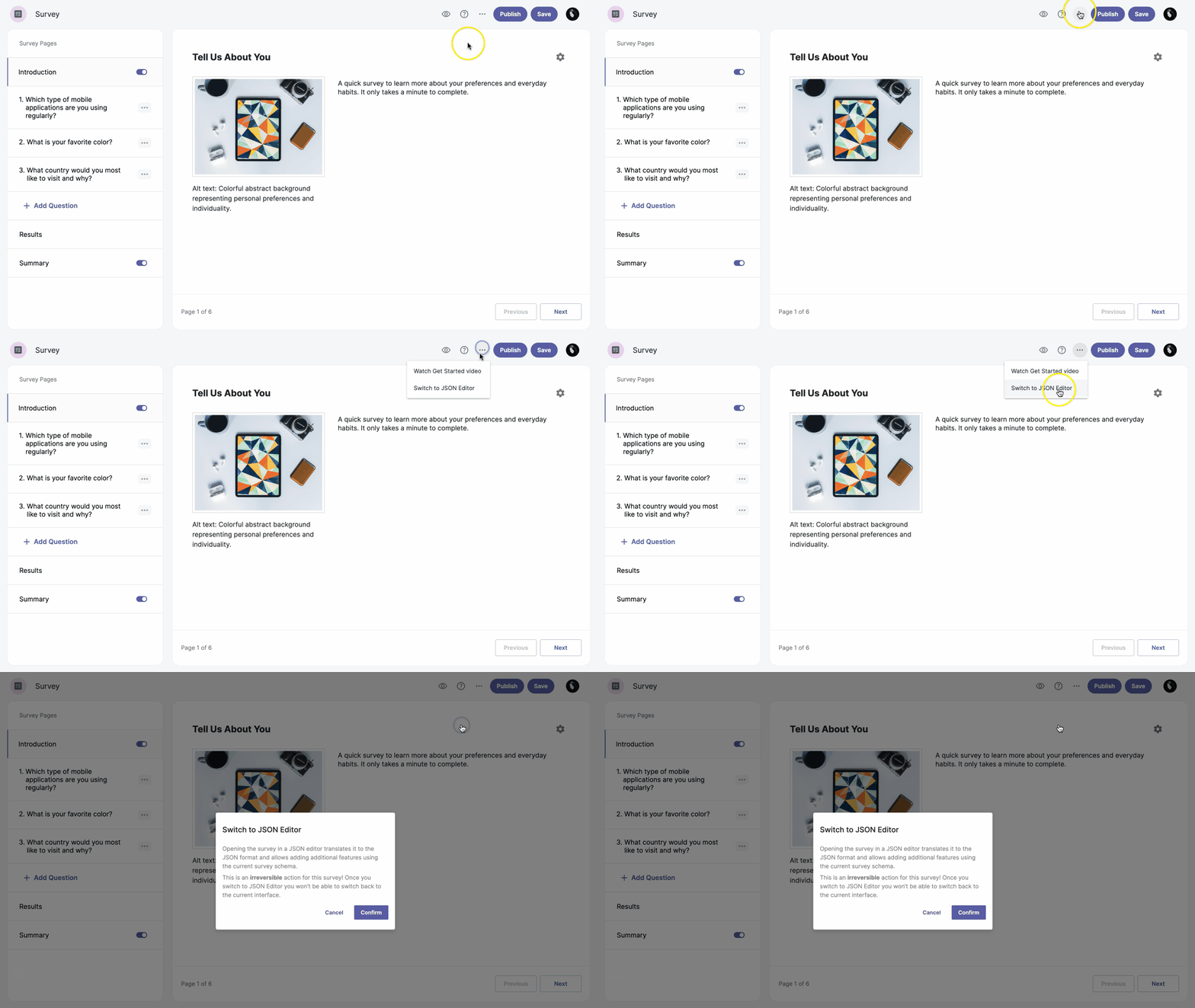
- In the survey editor, click the three-dot icon at the top of the page.
- Select Switch to JSON Editor from the dropdown menu.
-
After reviewing the warning, click Confirm in the pop-up window to proceed.
Note: This is an irreversible action for this survey. Once you switch to the JSON Editor, you cannot return to the current interface!